Visual Flow Designer
- Ideation
- Interaction design
- Information Architecture
- UX Research
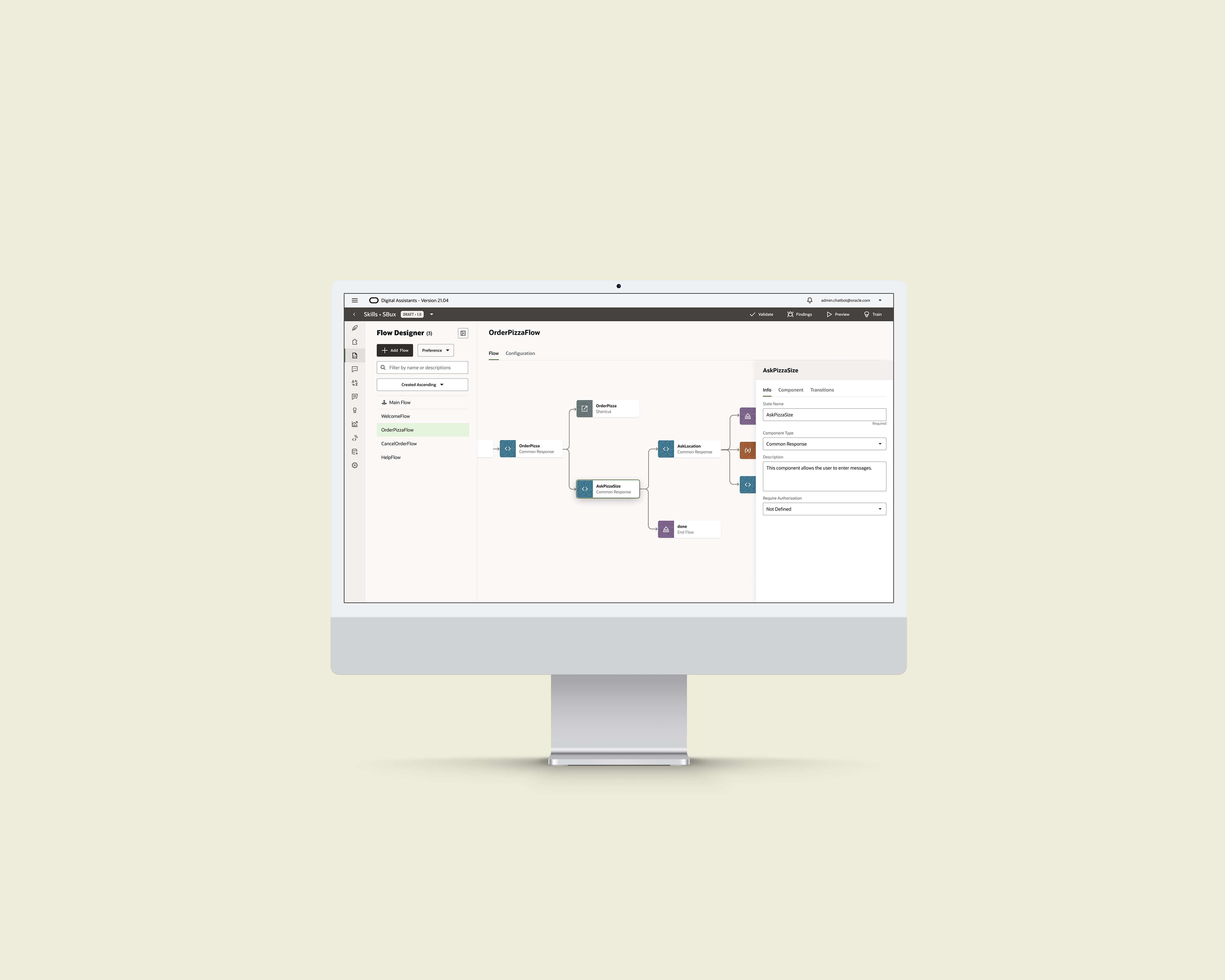
Our goal for this project is to build a visual authoring system that customers without coding language can use to design conversations.
Meanwhile, all our backend functions were created in the context of YAML. This brings the biggest constraint of my design: I need to design the visual authoring system without altering too much of the backend functions.
Why a New Authoring System
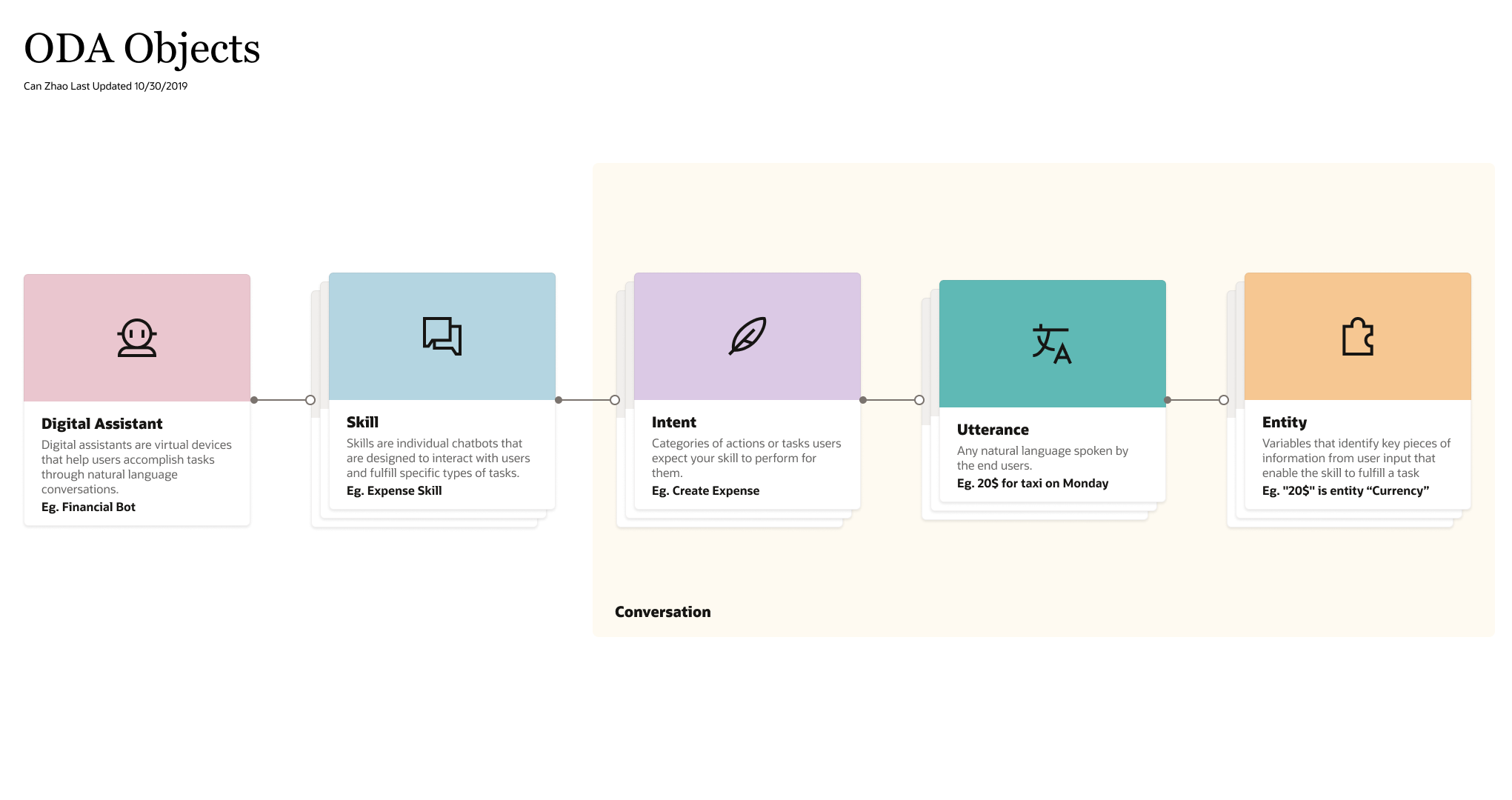
Conversation's Construct
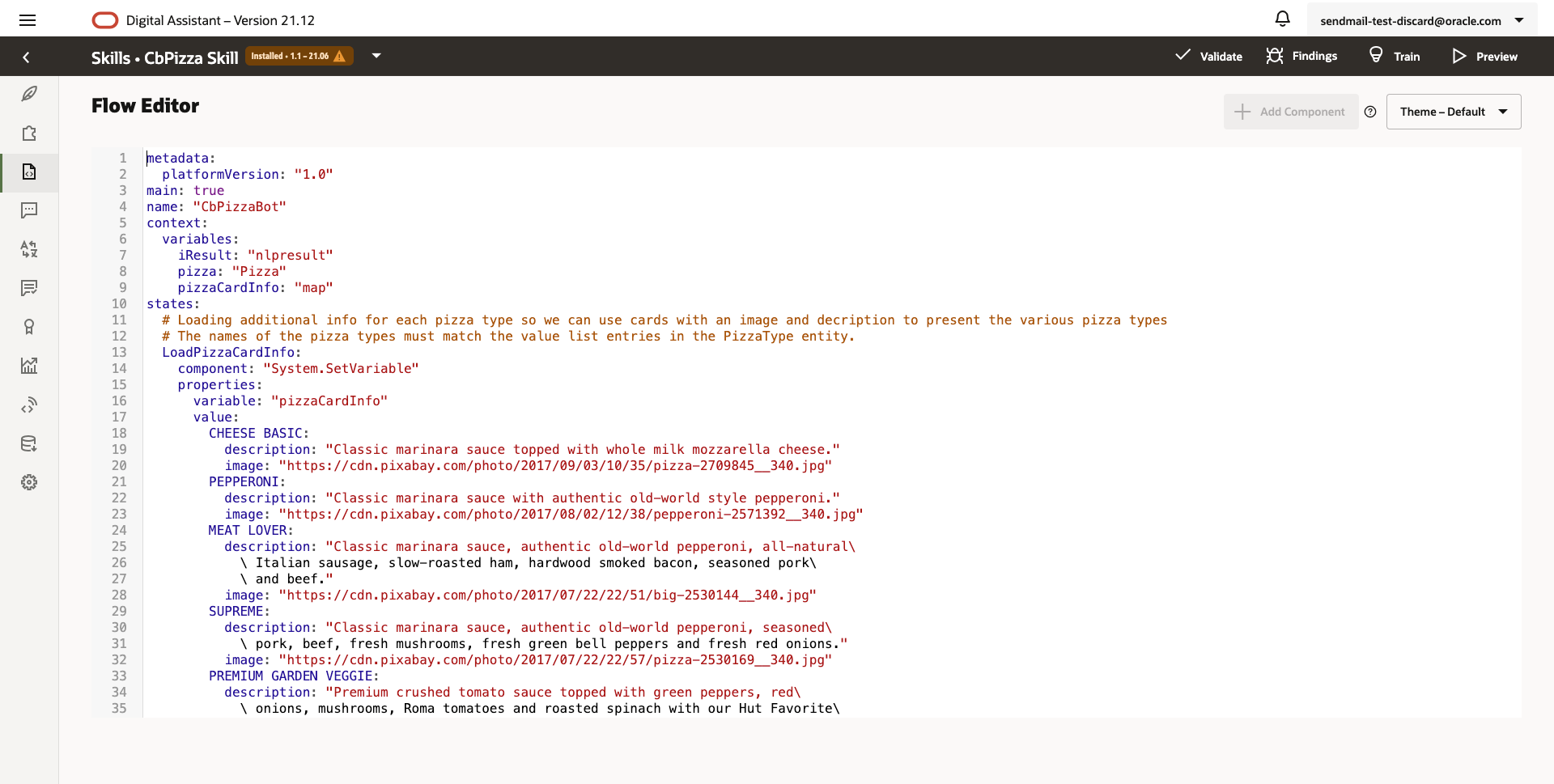
Because of conversation's complexity, ODA has been using YAML as the configuration language for users to design conversations:
Customers
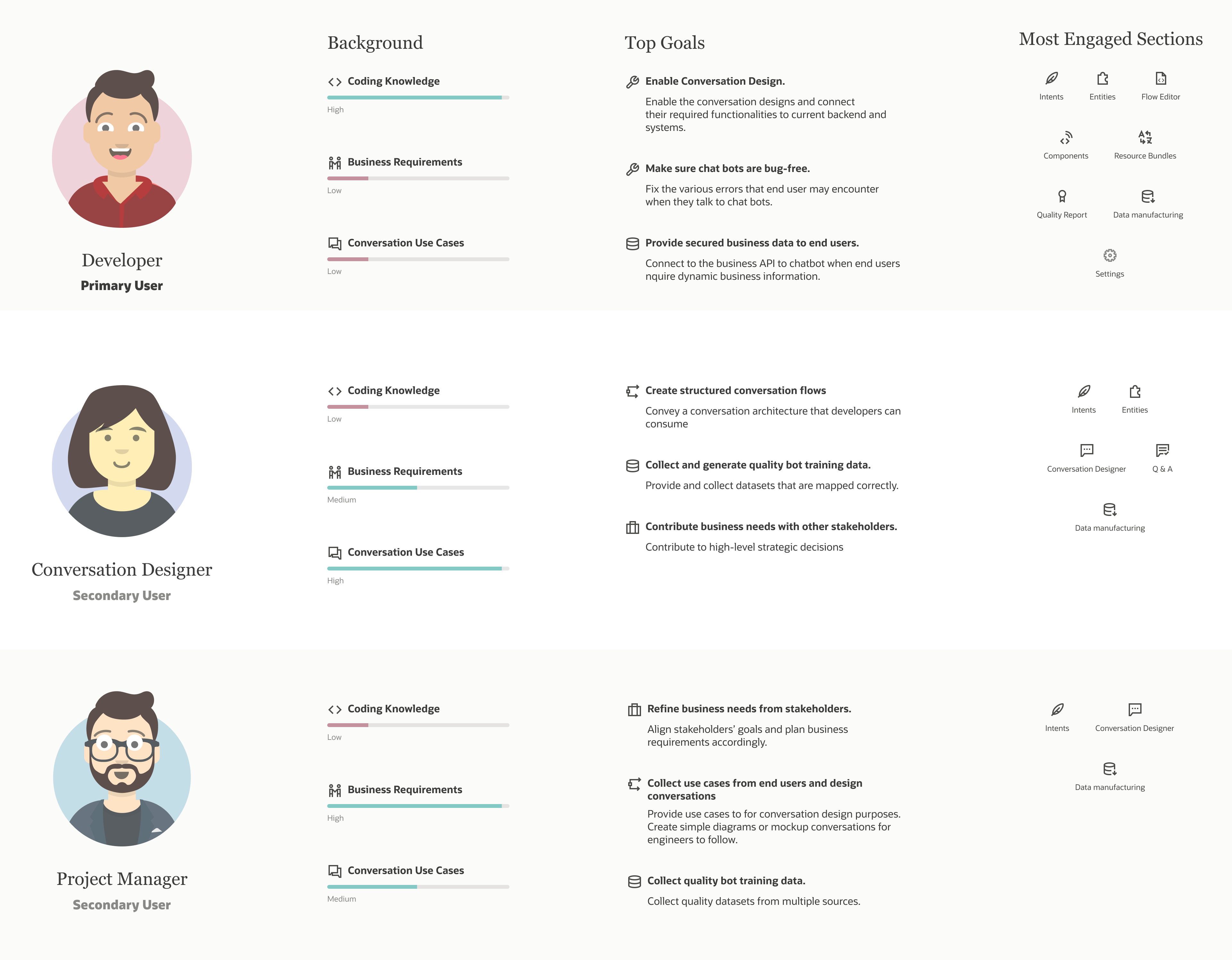
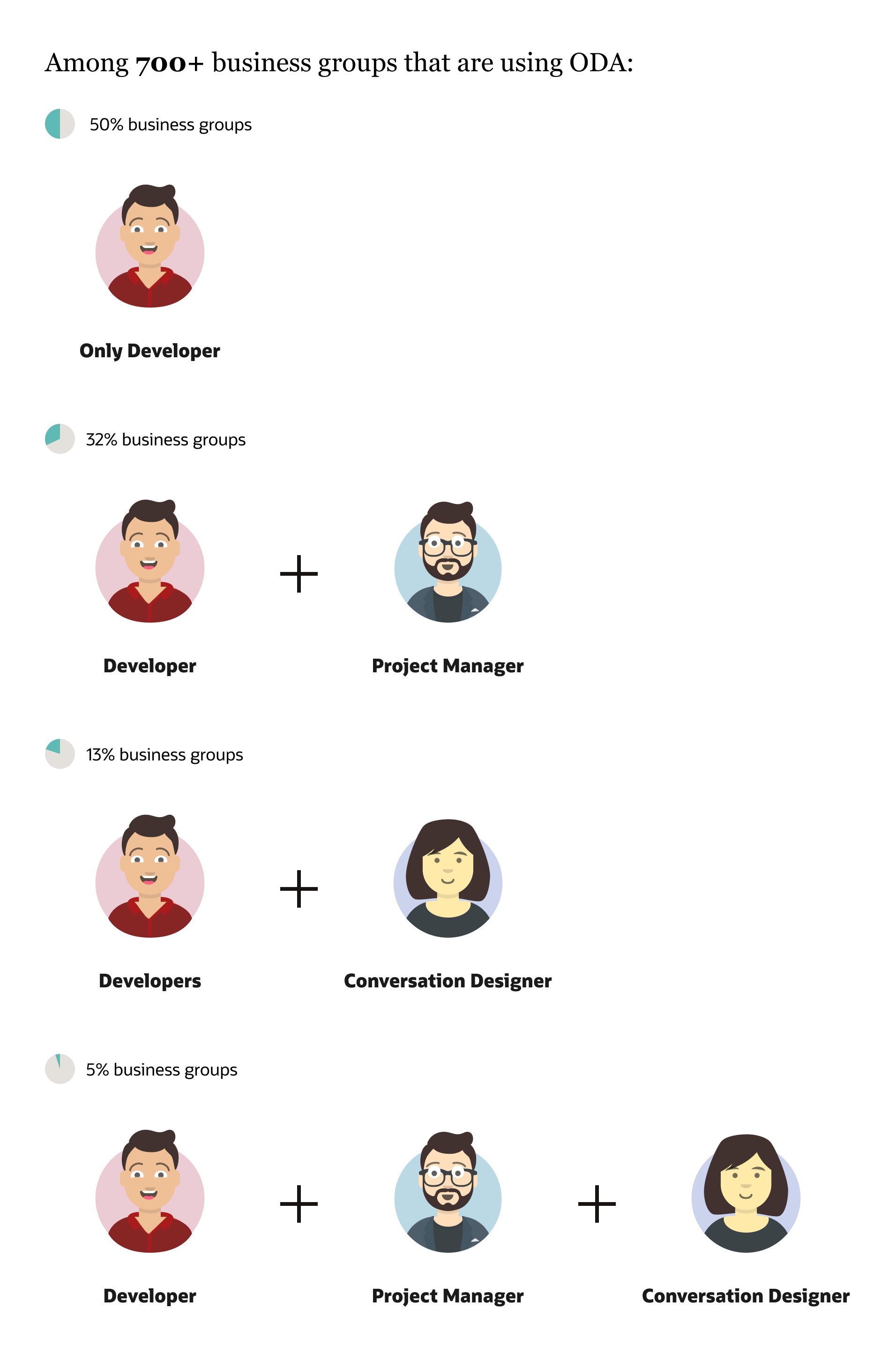
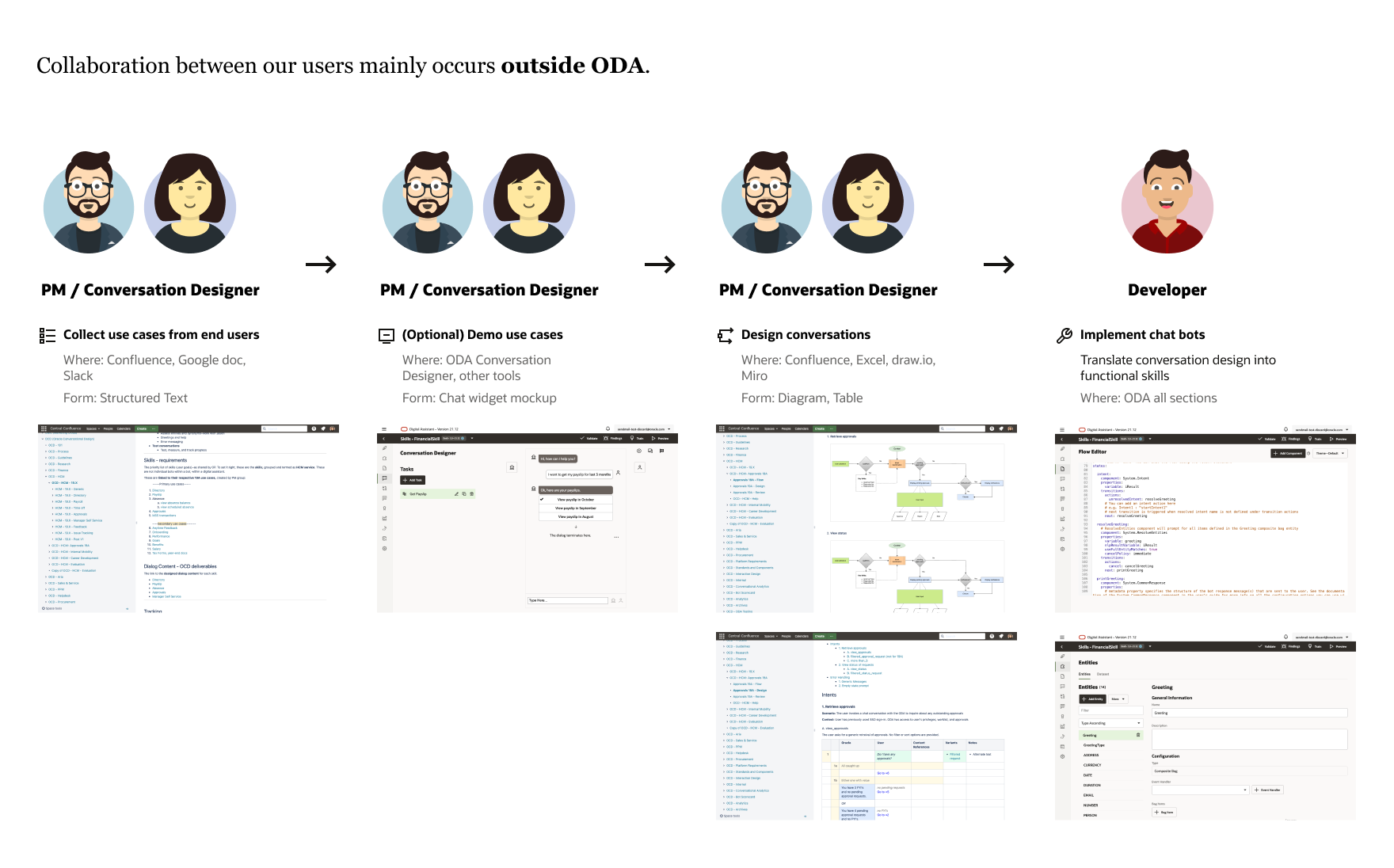
We aim to empower PMs and Conversation Designers to use ODA so that they can collaborate organically on our product.
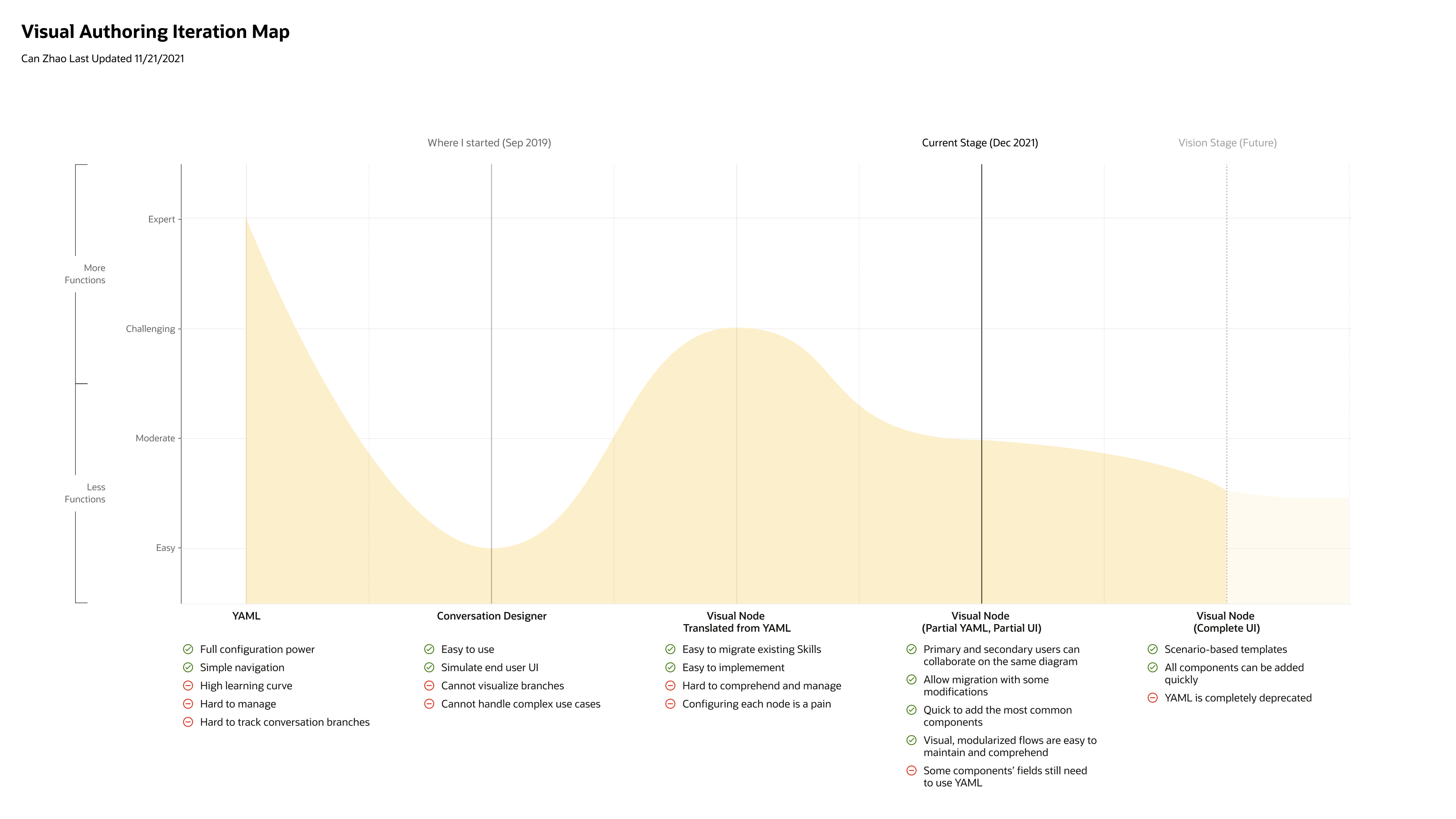
Early Design and Research
- Auto Adding Skills
- Manually Adding Tasks
- Export
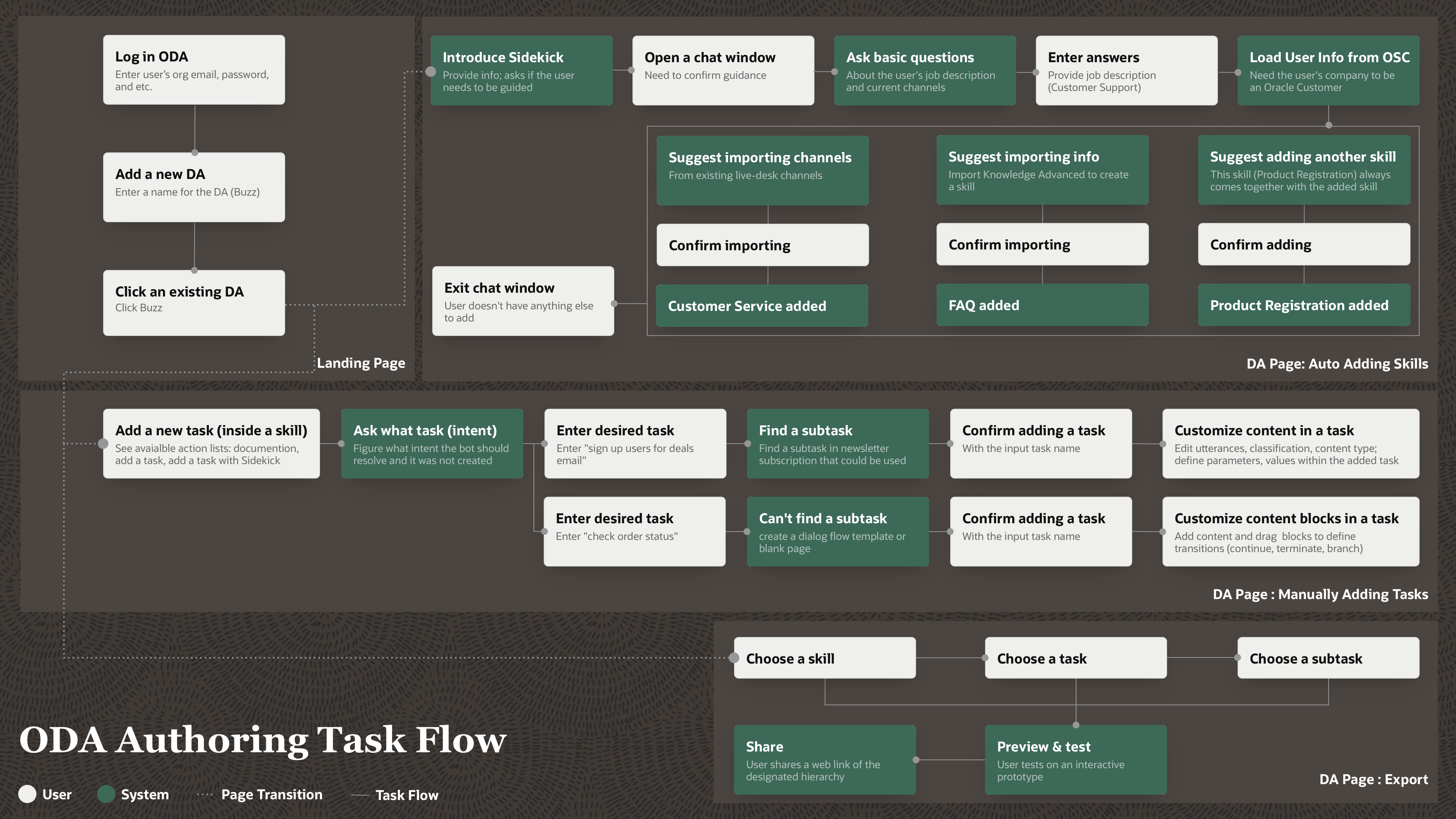
Low-fi Design
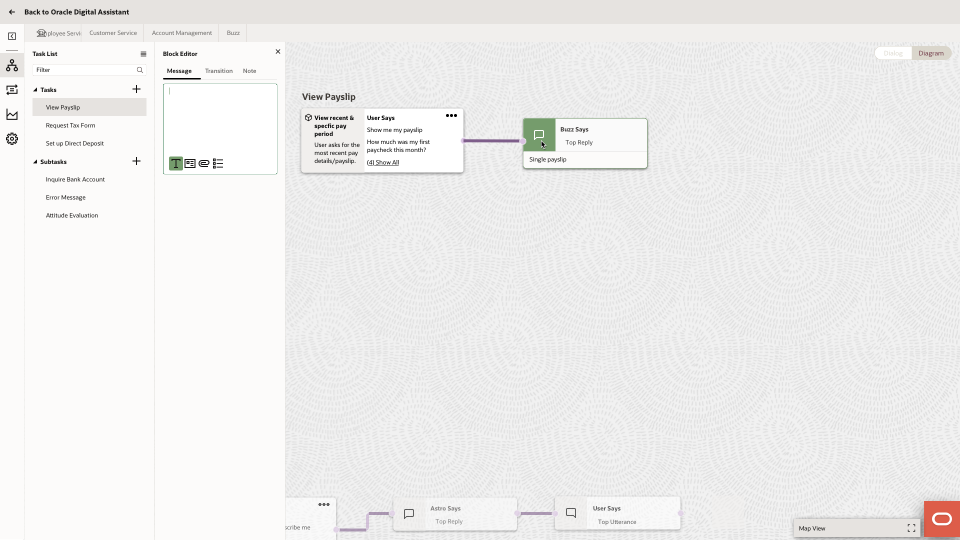
Diagram Node Inspector
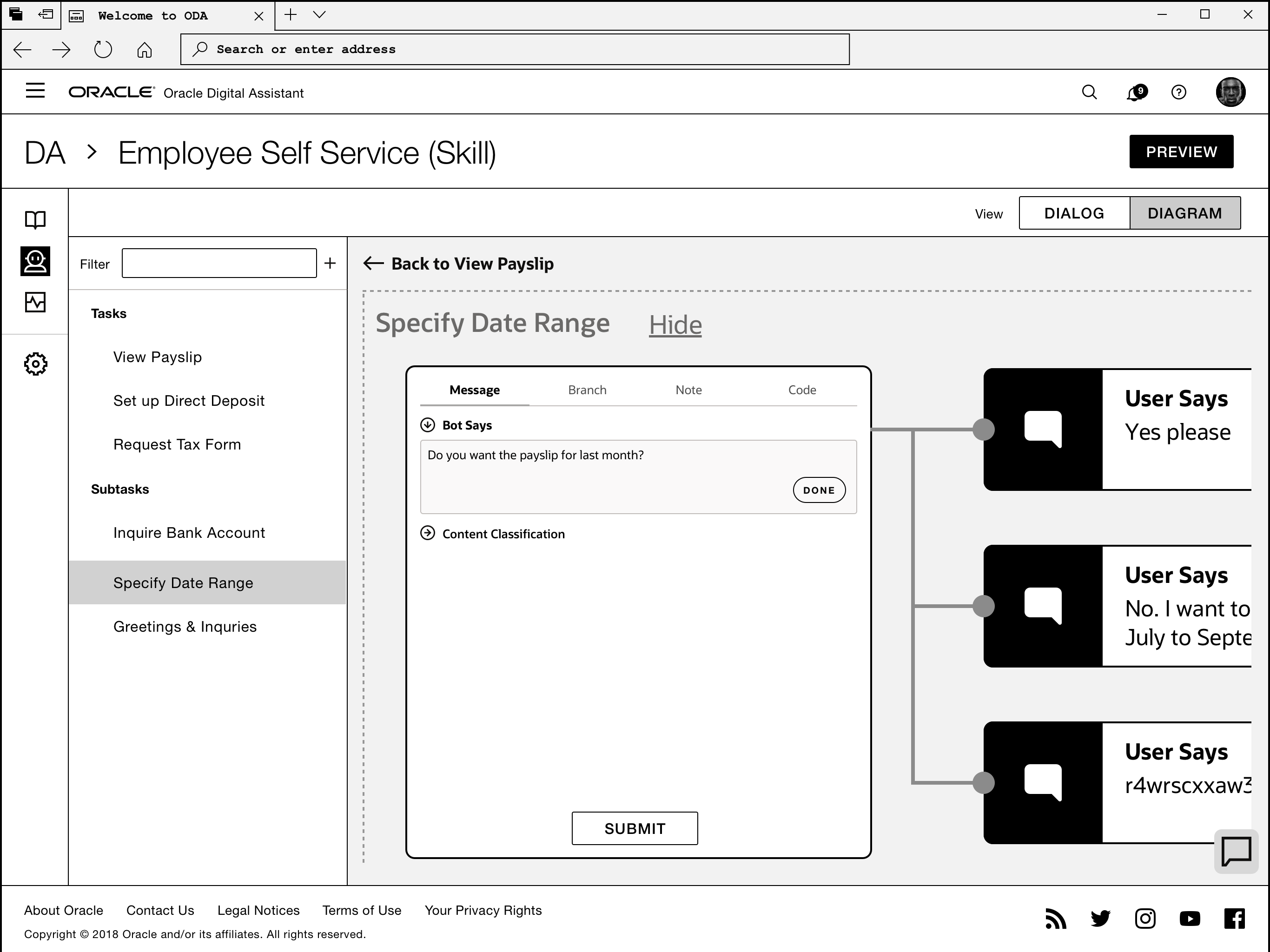
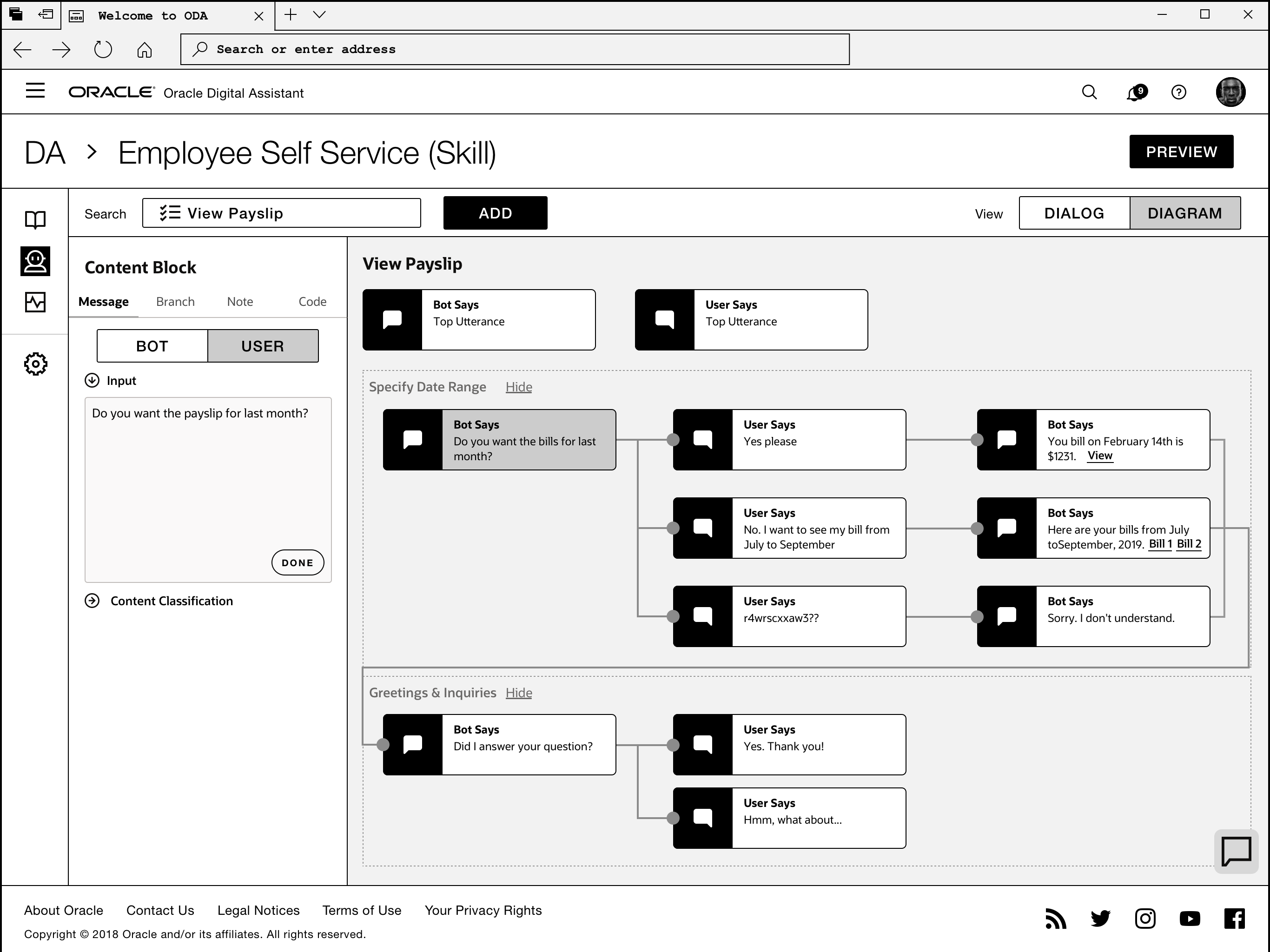
- The Zoom model's guides the user to the properties of conversation unit more naturally (with a zoom-in animation ), yet prevents the user seeing more context (more nodes) around the selected node.
- The Side Panel model doesn't create much visual transition, yet it shows more context without moving elements around and is easier to scale.
Midfi Design Exploration
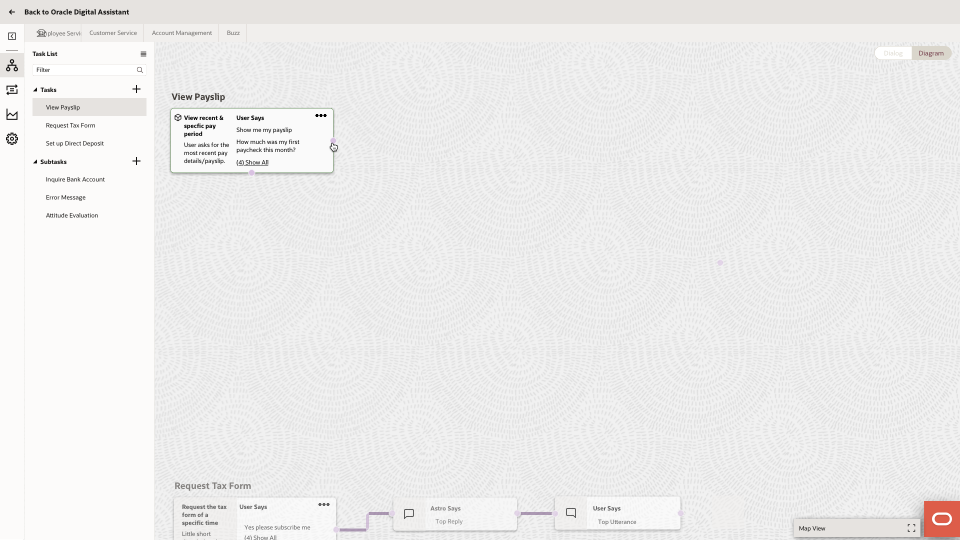
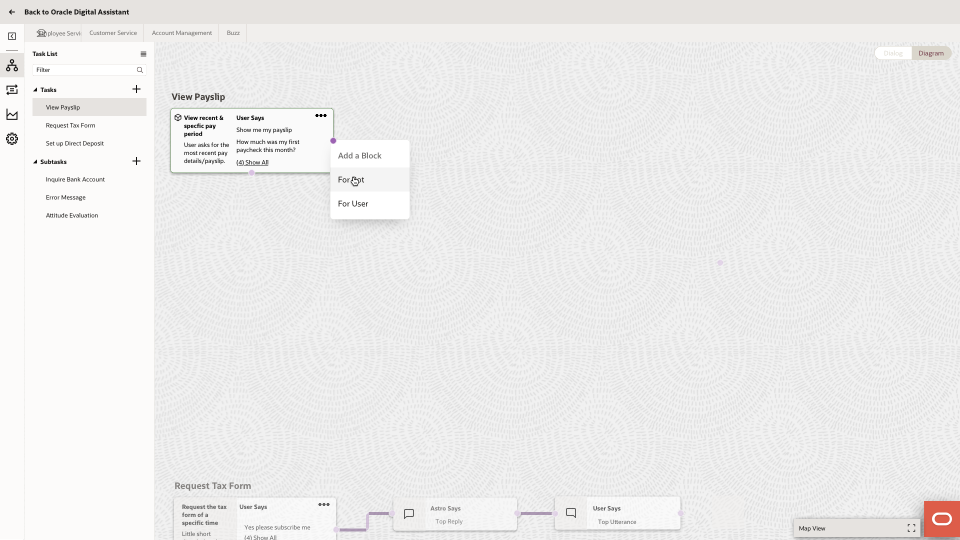
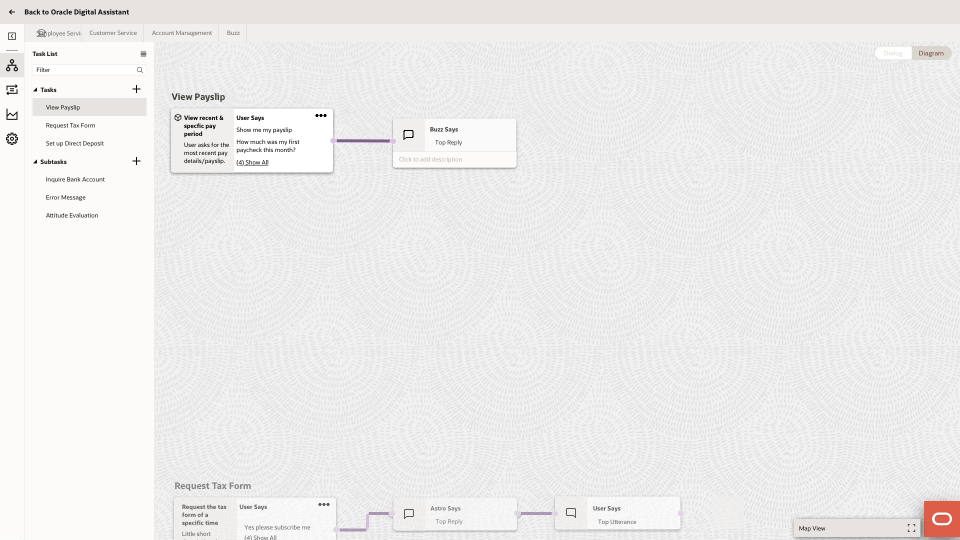
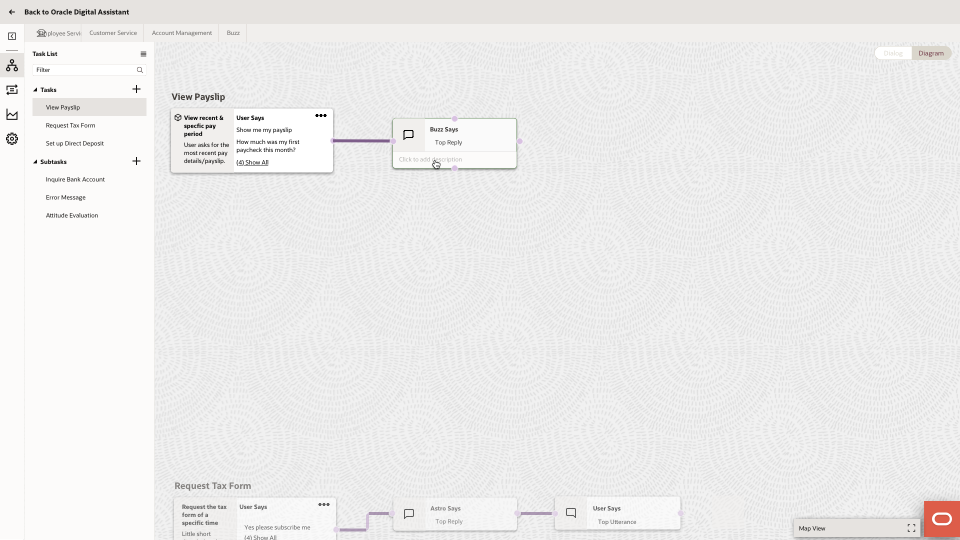
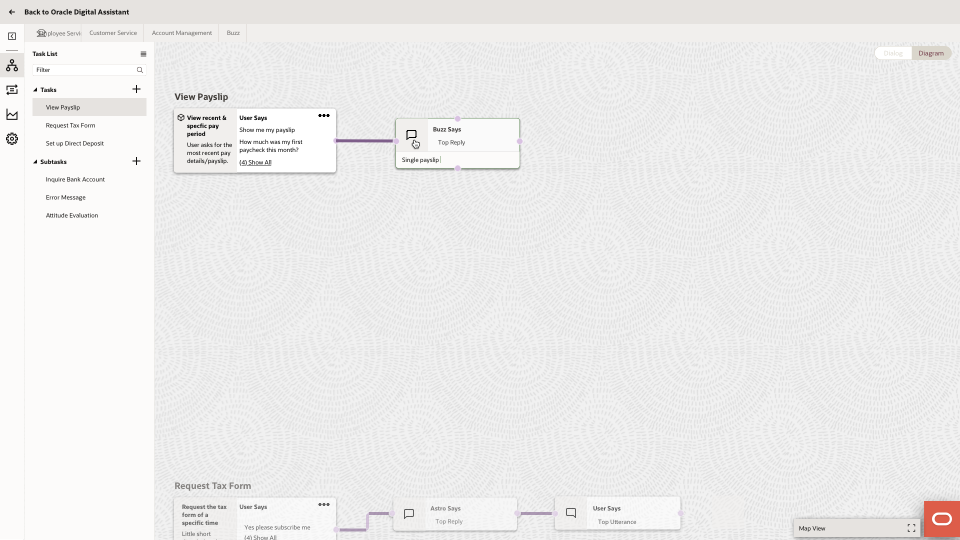
Diagram Interaction Model
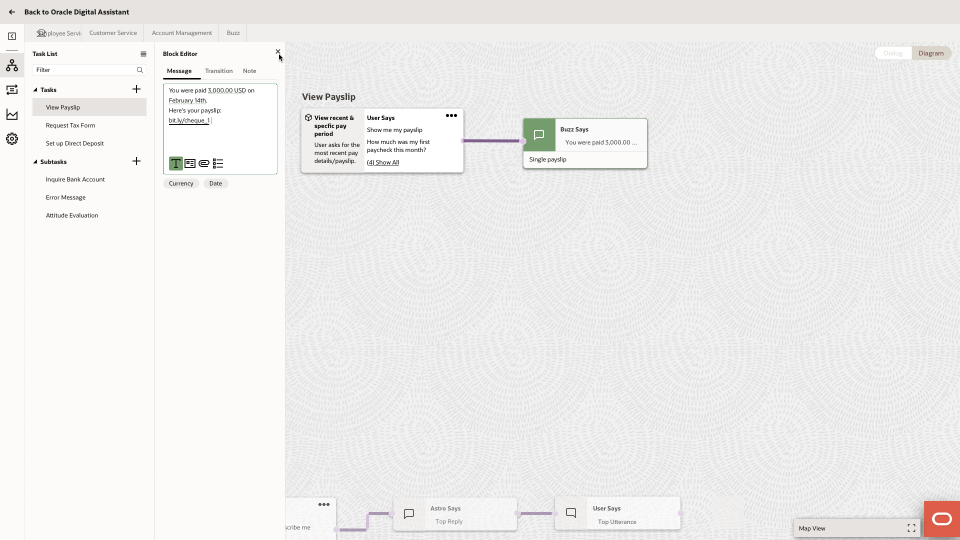
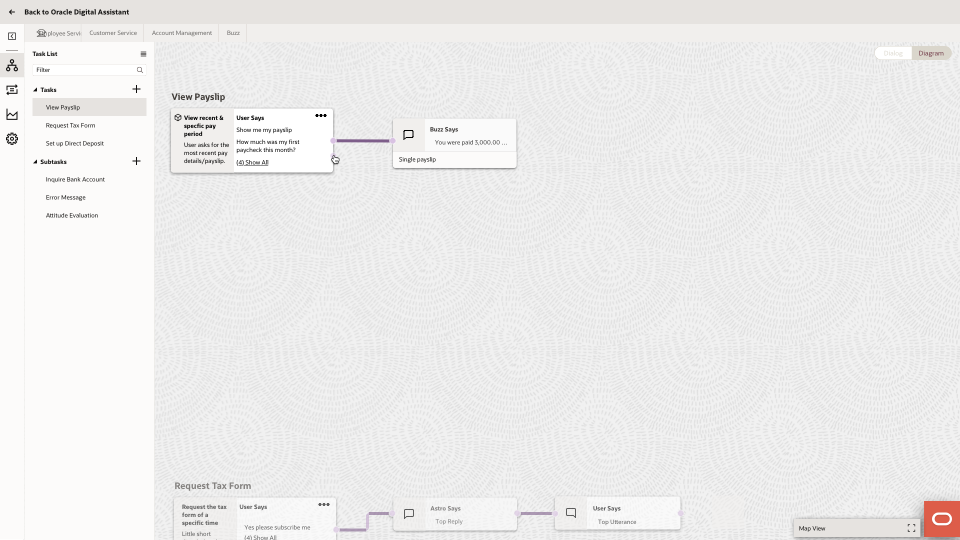
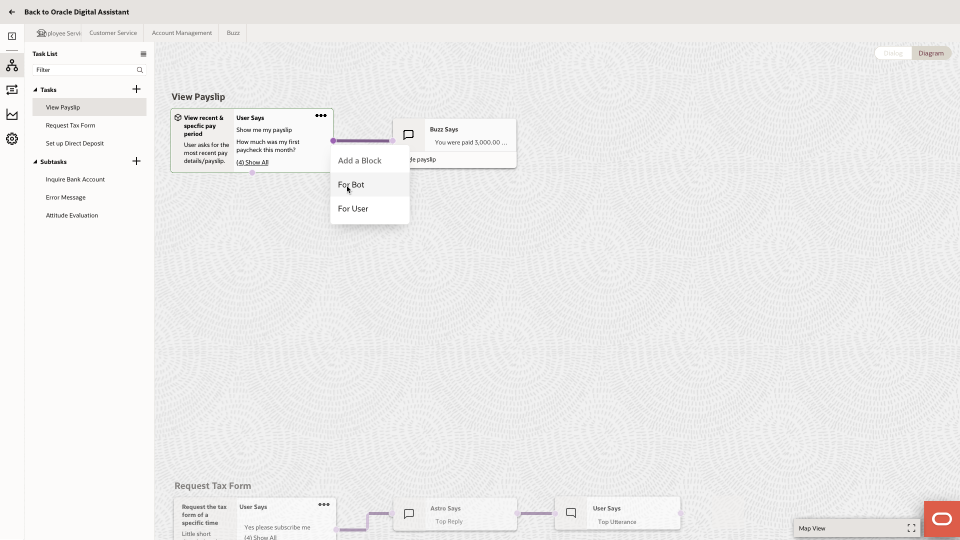
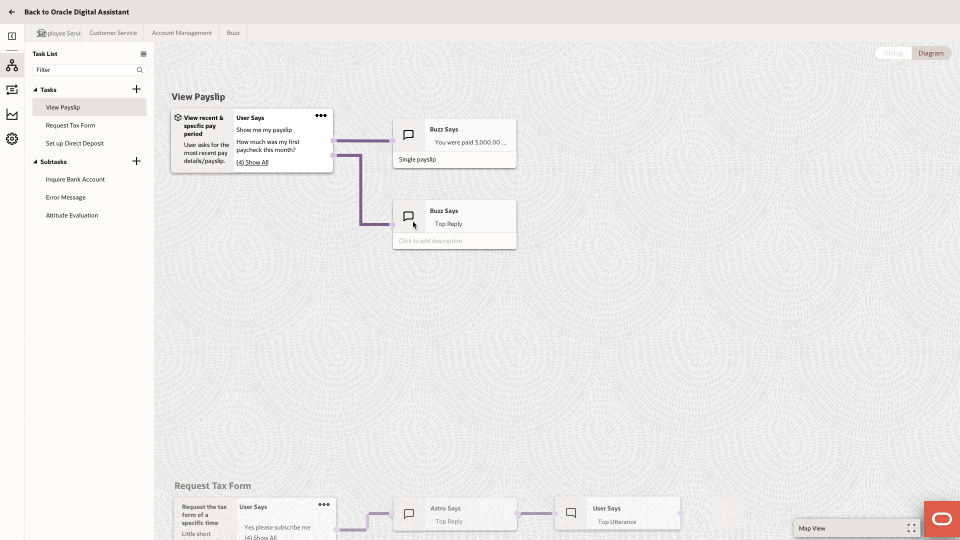
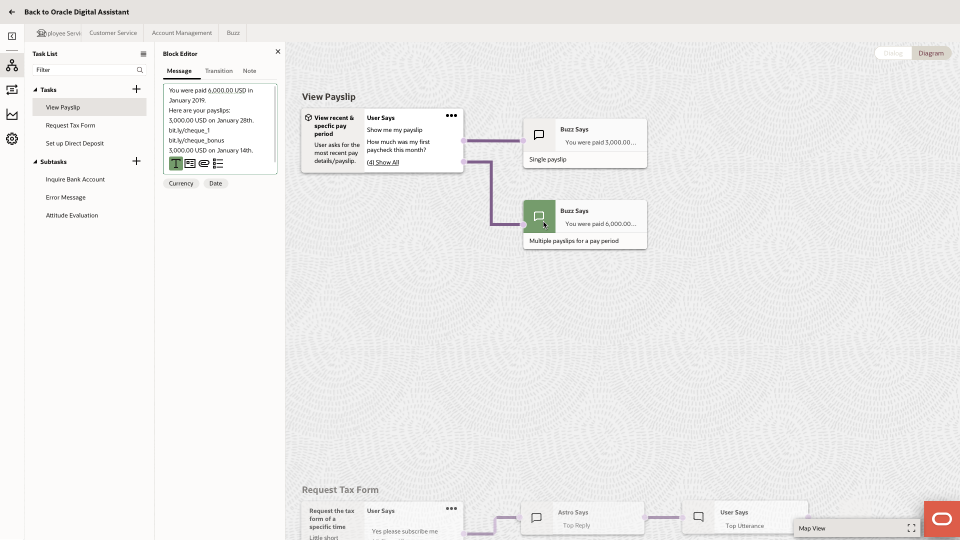
Hi-fi Design Iterations
Users Feedback
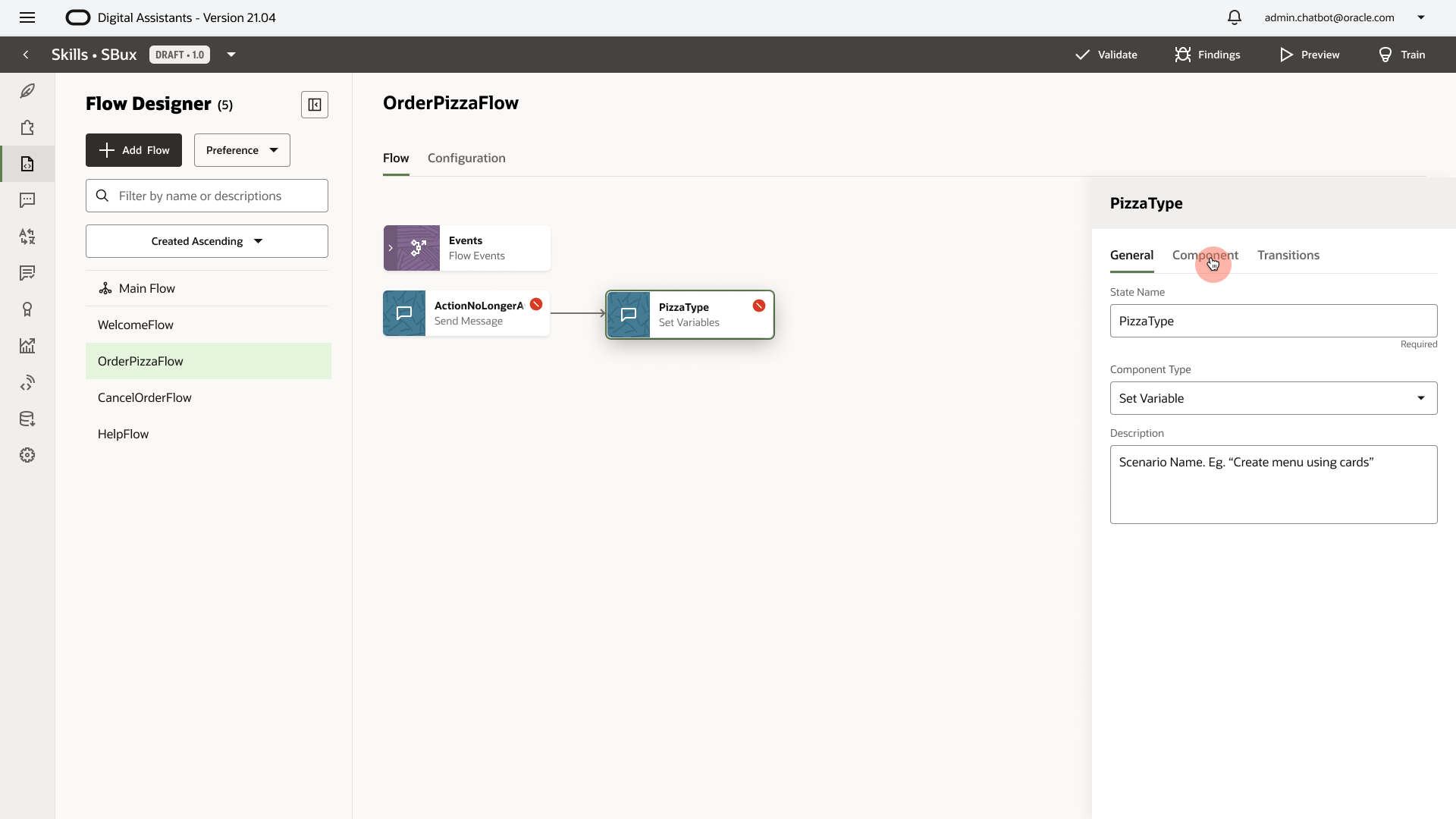
1. Extra Click
After creating a new state, the user needs an extra click on "Component" to edit the actual content for non-virtual components.
We should make the "Component" selected by default when a state is created.
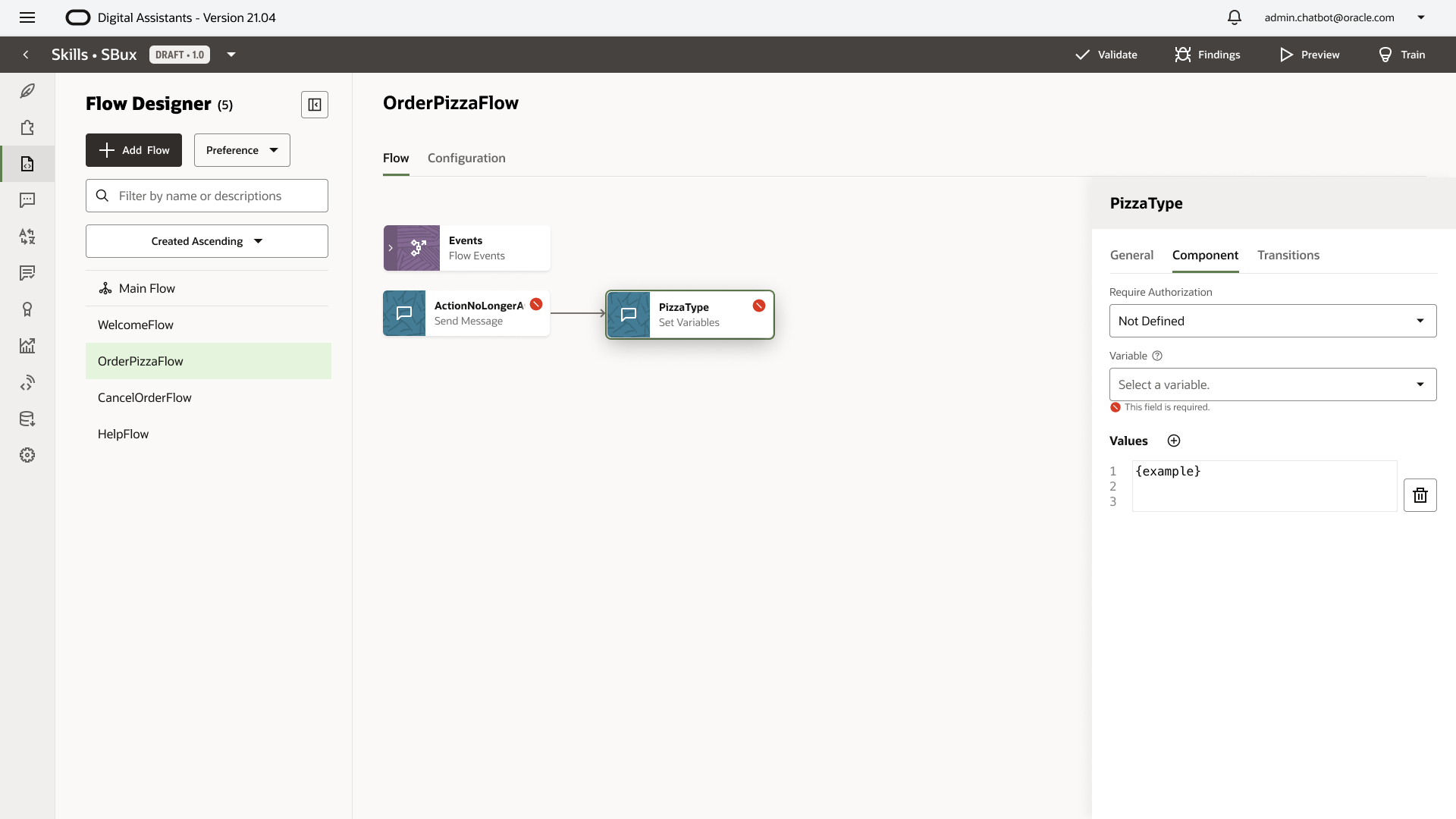
2. Separated
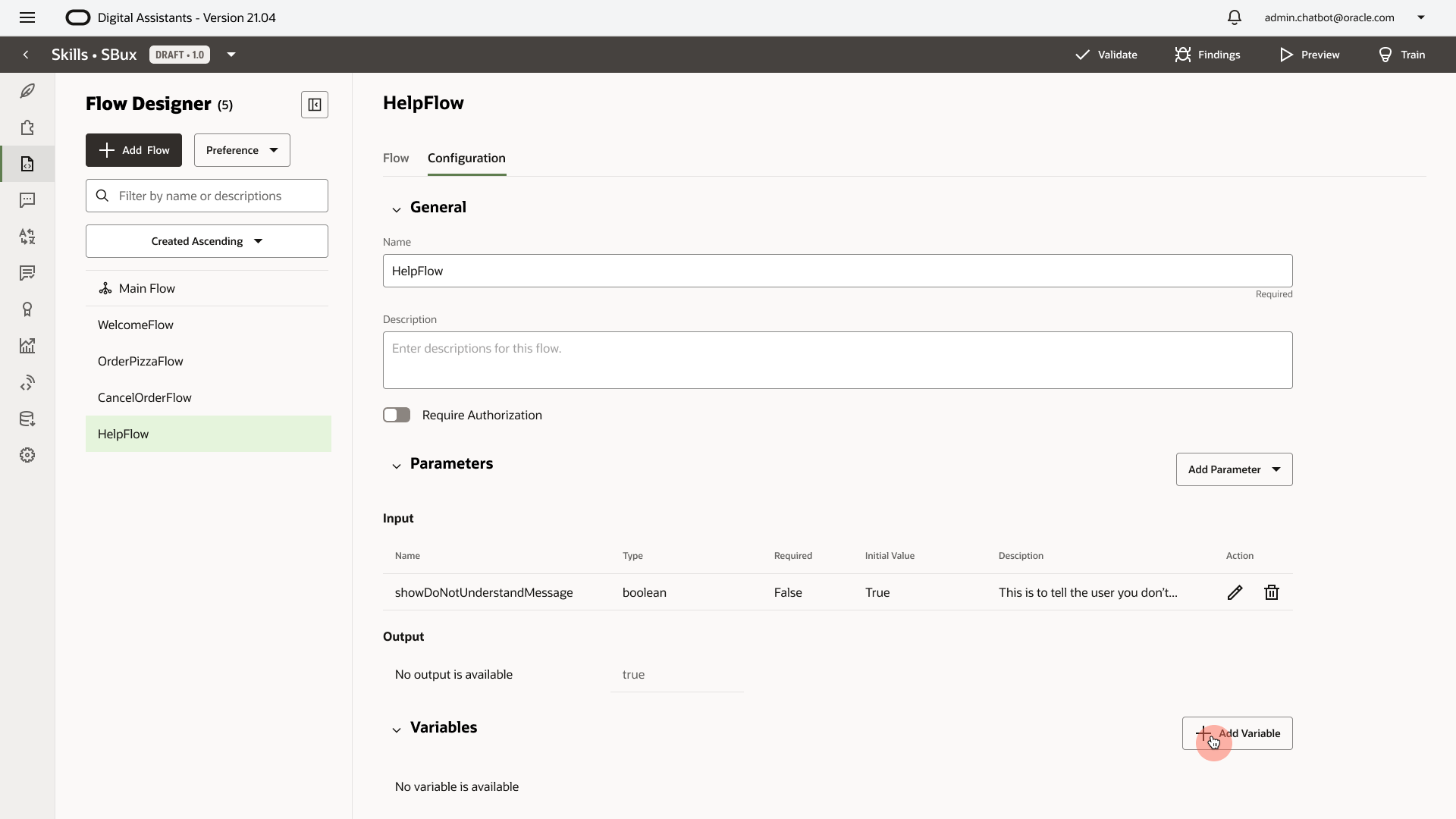
The variable configuration is separated from the flow design experience. If a user wants to select a variable for a state, and the desired variable doesn't exist yet, the user needs leave the page and go to "Configuration."
We should allow the user to create on-demand variables inside the flow experience.
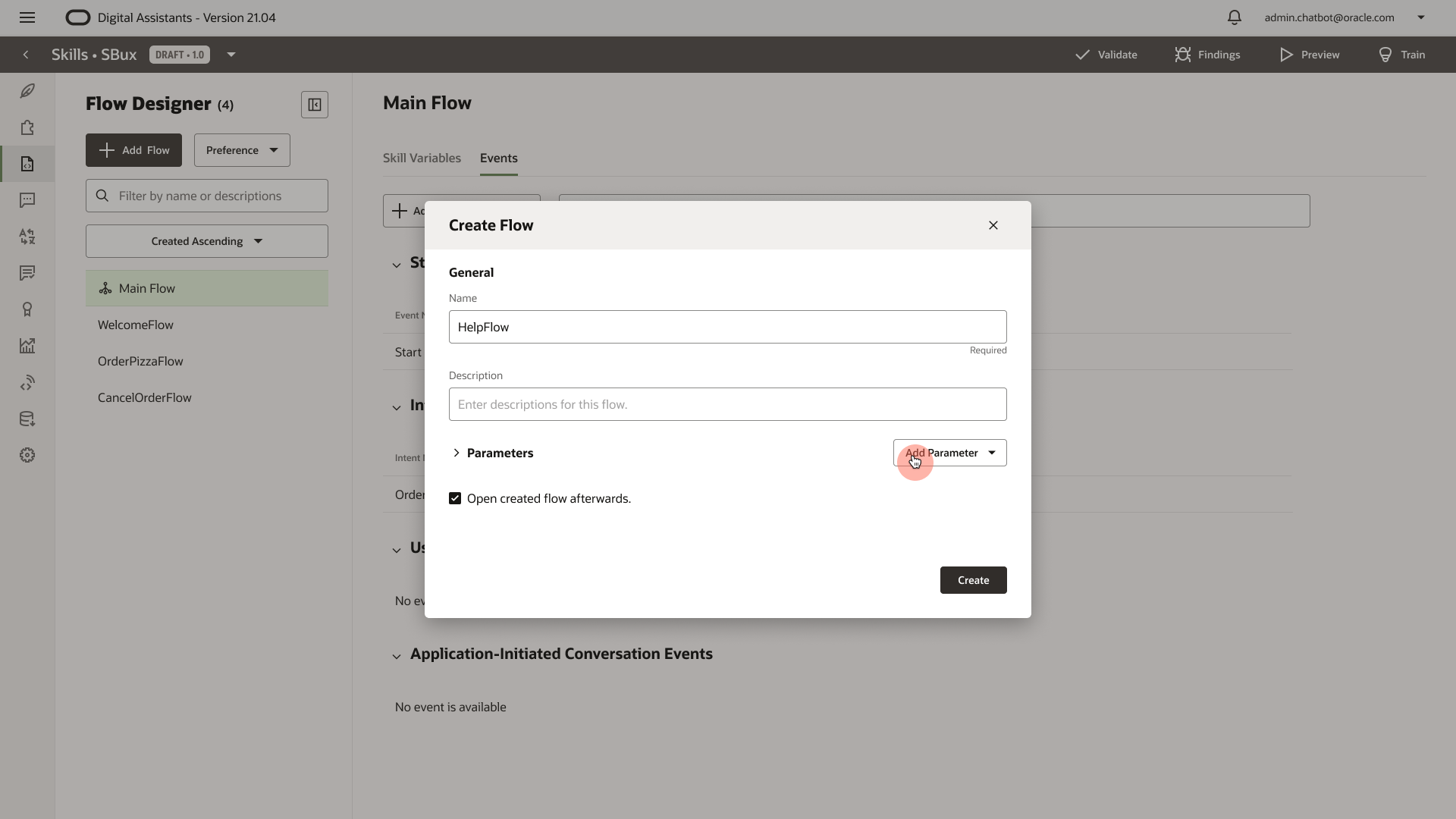
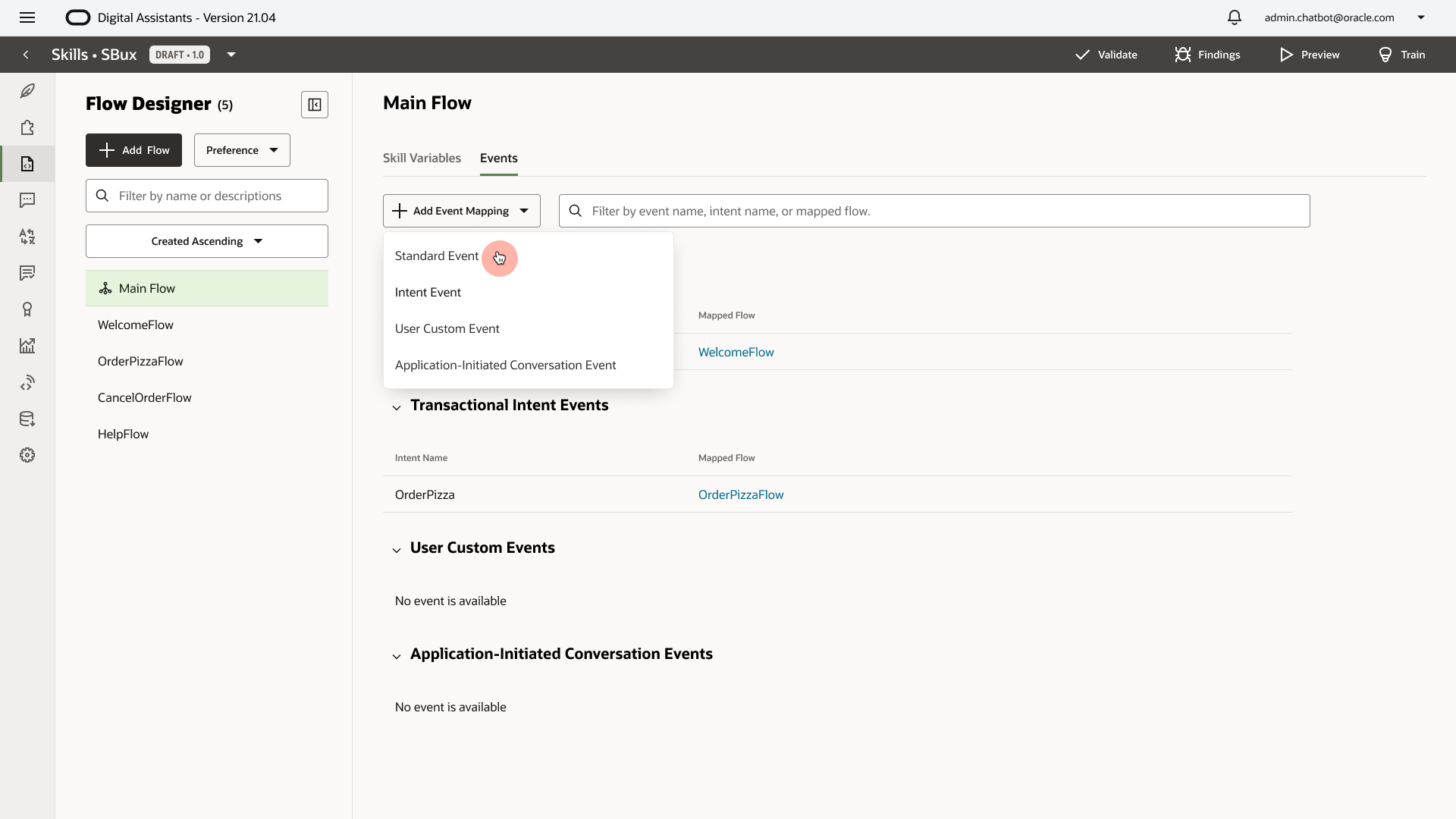
3. Map Intent
Intent Mapping is hidden in "Main Flow - Events - Intent Events." Mapping an intent to a flow is a very common behavior when a user creates a flow.
We should allow the user to select an intent when they create a flow.
4. Hidden
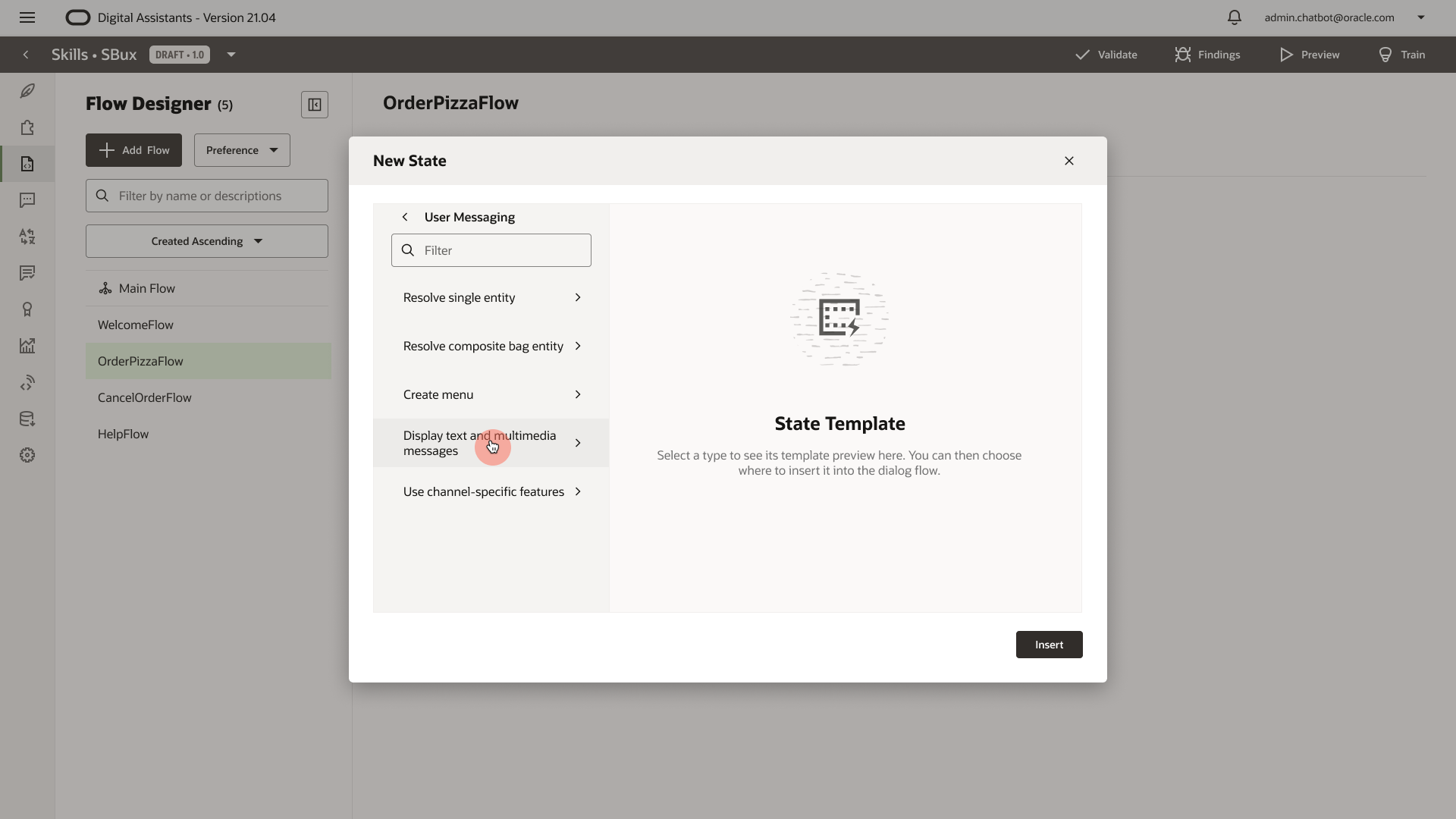
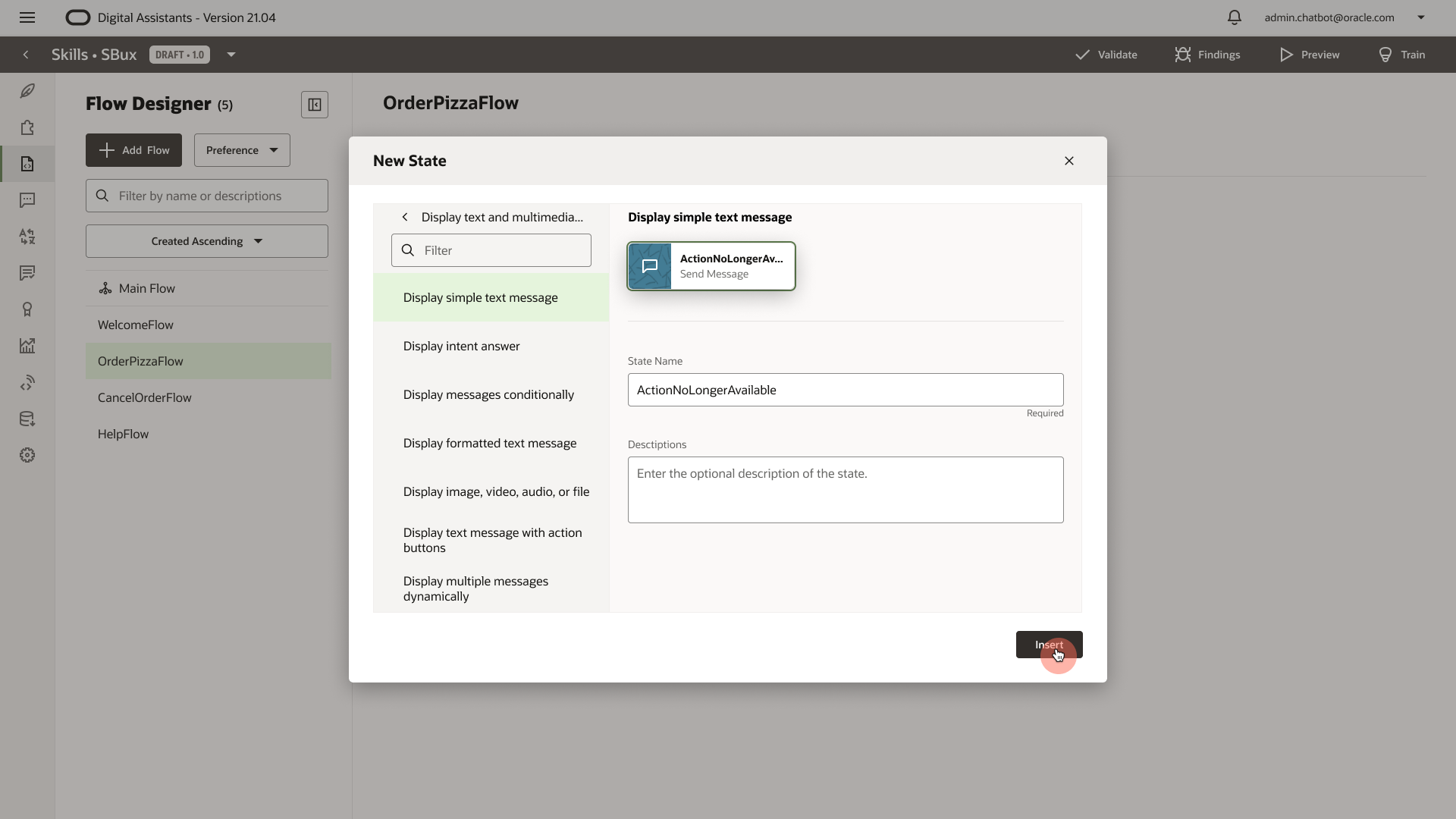
1. The simplified virtual components are too hidden within the component pickers. The user needs to click the navigation back and forth to find the desired component.
2. The context of where the user is adding the state is also hidden behind the component picker dialog.
For MVP, at least we should surface the 3 virtual components to the top level.
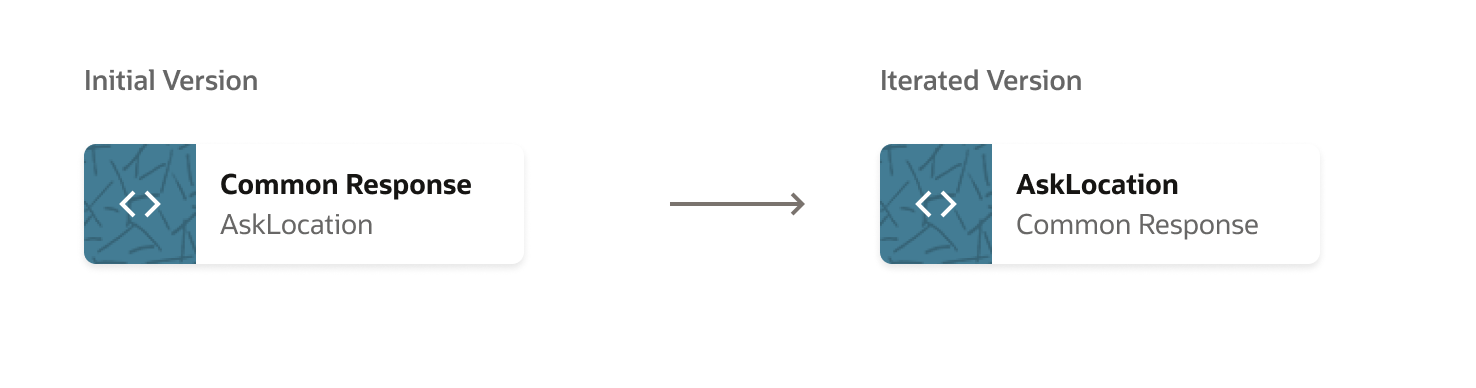
5. Primary and Secondary Text
Reflections
Currently the engineers are implementing my design and hopefully it can ship by the end of this year. The whole process is like a marathon with many ups and downs. Some lessons I learned:
- Be strategic. I documented and shared a variety of design solutions with stakeholders, helping them making decisions, yet I'm not part of the planning process when some decisions are made by PMs. In this project, I was not able to impact some of the decisions because I knew them too late. I need to be in the strategic room in order to understand the whole context.
- Involve engineers early. We spent too much time on the blue-sky design instead of investigating what the legacy backend supports, dreaming that they would let go some of the legacies and build new ones. We should involve them early and see what's feasible within the timeline, and create a long-term and short term goals to kick-off design.
- We definitely need more user research data. Currently, most of the users sessions are more like demo/walkthrough instead of structured usability testing. I've only talked to 3 out of 700+ customers. We need to recruit users based on user types, and use user data to inform design decisions. Fortunately, PMs heard me and will release a LA (Limited Availability) release before MVP. I made a user research proposal: