← All workOracle / AI & enterprise tools

Data Manufacturing

Crowdsource bot training data from multiple sources
Project Overview
Have you talked a chat bot during online shopping? Oracle Digital Assistant (ODA) is a platform where business users create chat bots like that. In order to make a chat bot function properly, ODA users have been using third party tools to collect bot training data, and then exporting training data to ODA. We need an ODA integrated data collection tool to standardize this process. In short, Data Manufacturing provides a standard tool set for manufacturing chatbot training data within ODA.
My Contributions
I'm the only UX designer for this project. I collaborated with Data Scientists, Engineers, and PM.
  • Interaction design
  • UI Design
  • UX Research
  • Information Architecture
Timeline
2020.04 - 2021.08
TOOLS
Figma
Design Challenge
How can we effectively crowdsource training data from crowd workers and help ODA users collect quality training data?

ODA needs a lot of quality data in order to make a chat bot skill function as desired. It's almost impossible for ODA users to create these training data themselves.
Our ultimate goal is to collect accurate mapping of utterances, intent, and entities, and track crowd workers that provided these data for quality control purposes.

Why Data Matters

Data Model
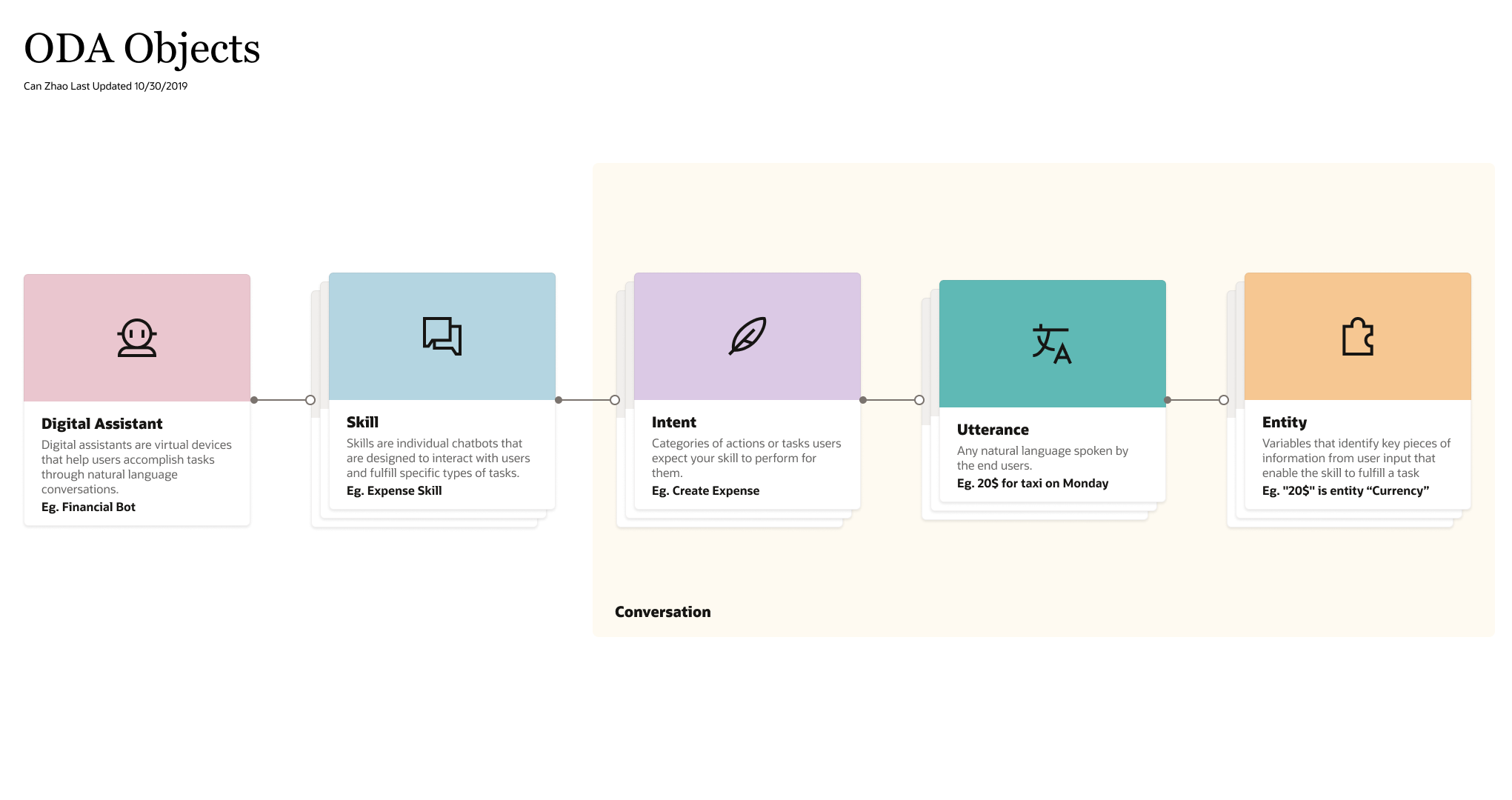
When I joined the team, I delved into ODA's instance and sketched a quick object relations map:
Object Relations
The mapping relations between entities, utterances, and intents need to be accurate in order to make a Skill functional. Data Manufacturing's ultimate goal is to collect diverse data with the accurate mapping relations.
Customers' Needs
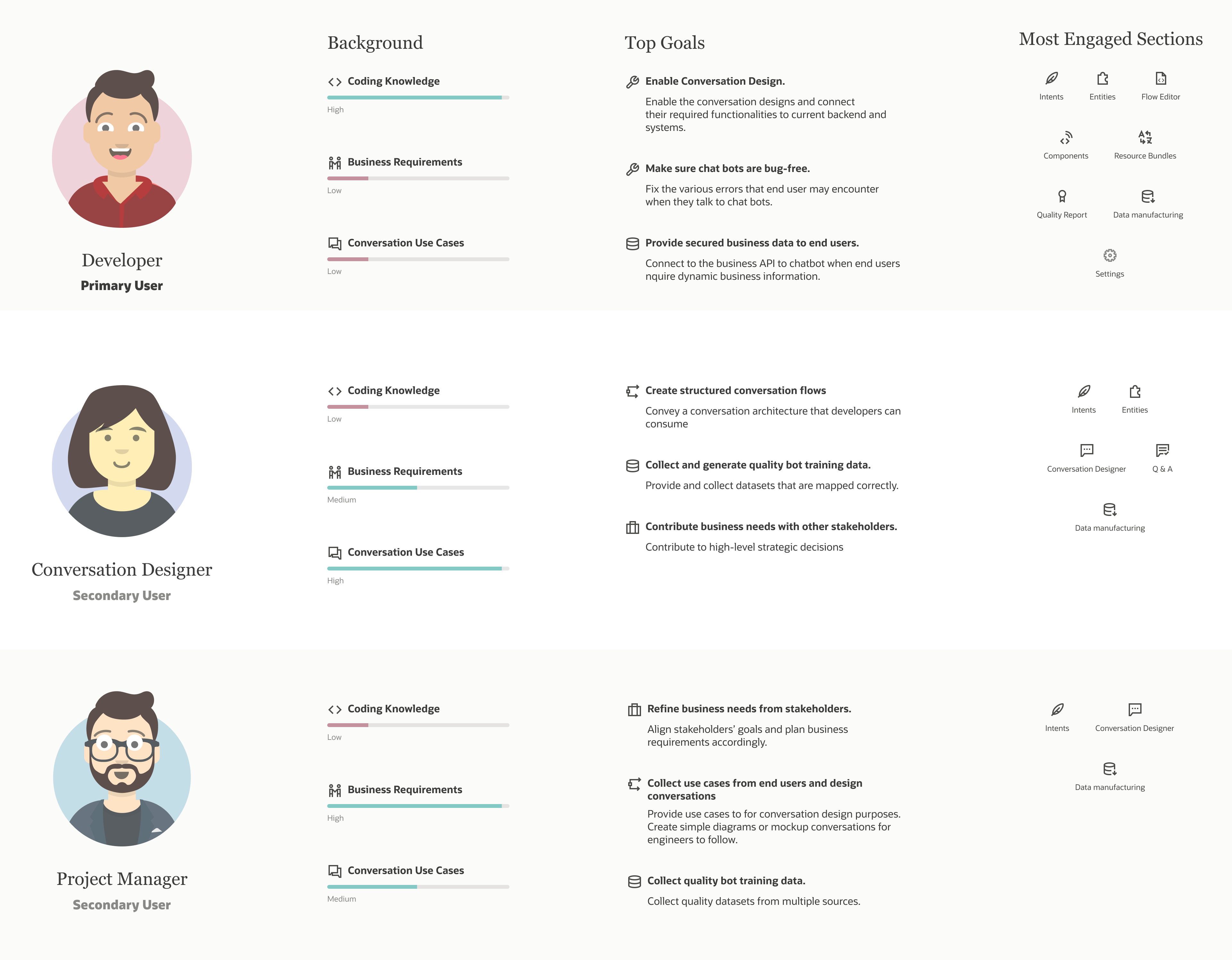
ODA's mission is to help business users create channel specific chat bots that can interact with their end users. I created the following persona to capture our users' characteristics:
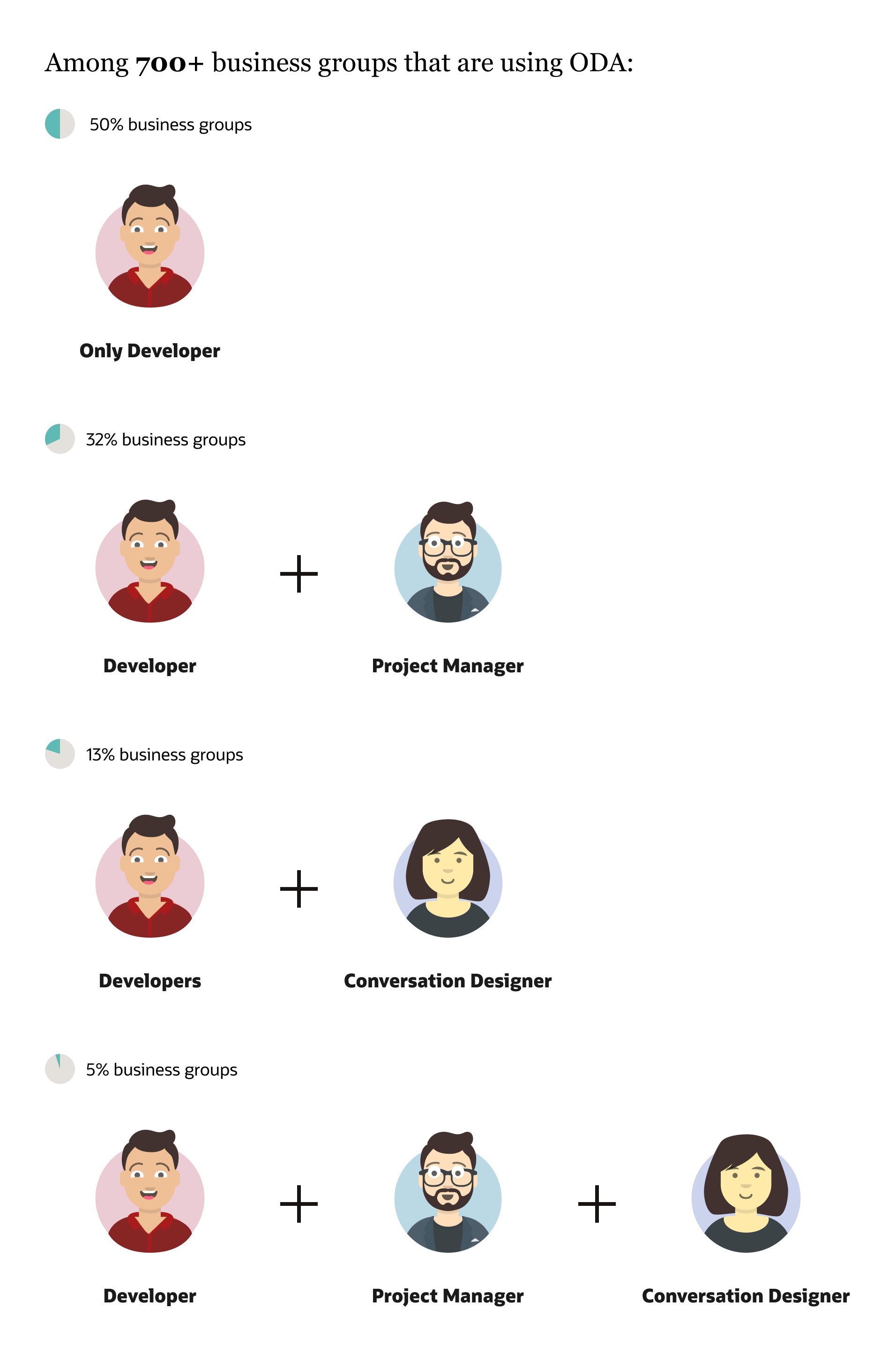
PersonaUser groups
Currently our primary users (developers) are using third parties tools for the following scenarios:
  • Elias is crowd-sourcing utterances of intents for the Unified Model
  • Sri will be crowd-sourcing utterances containing system entities (Date, Currency, etc.)
  • Steve and John are crowd-sourcing semantic parser training data containing multiple intents and entities.
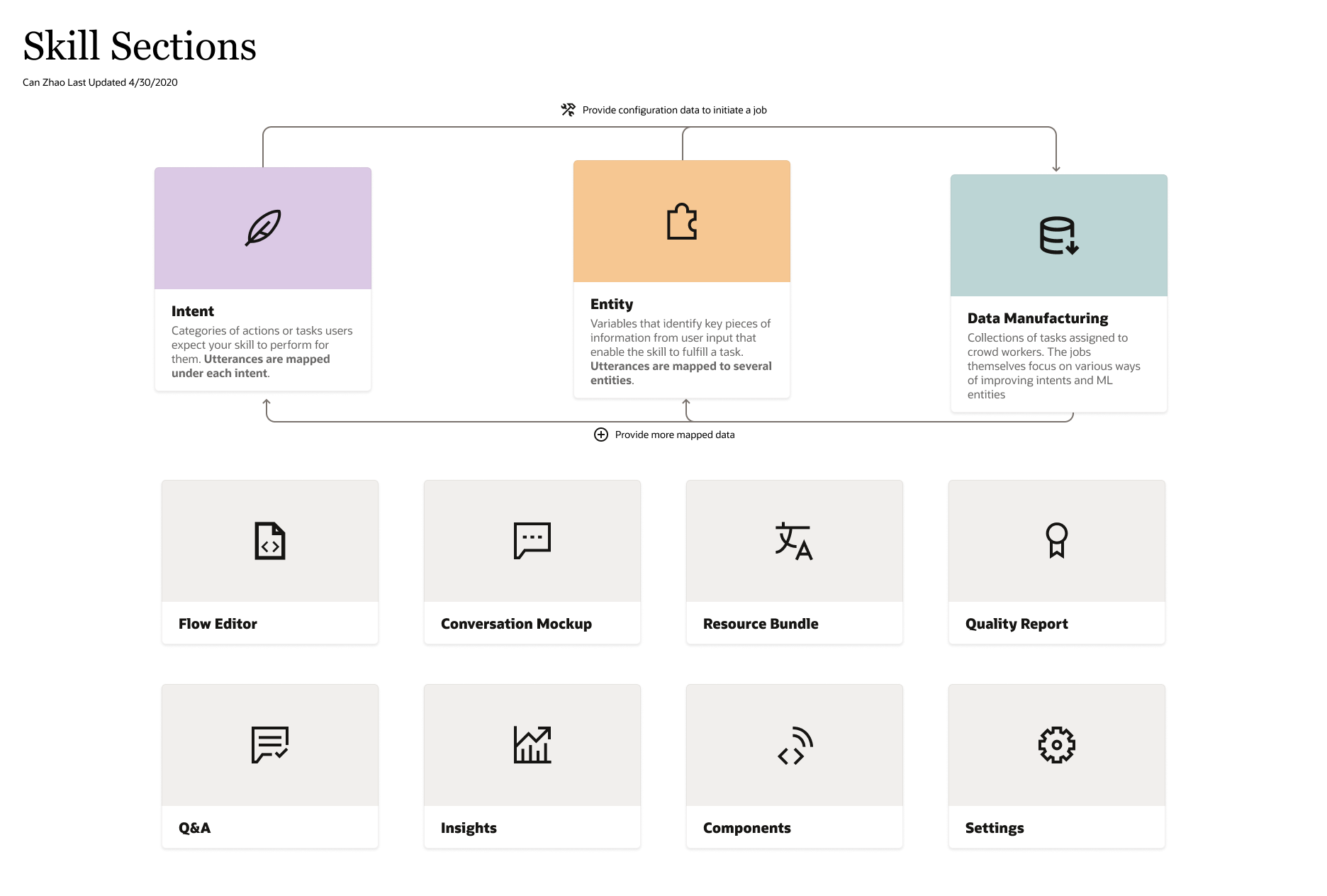
I sketched the following IA to indicate how Data Manufacturing would impact the current sections within a Skill:
SkillIA

Workflows

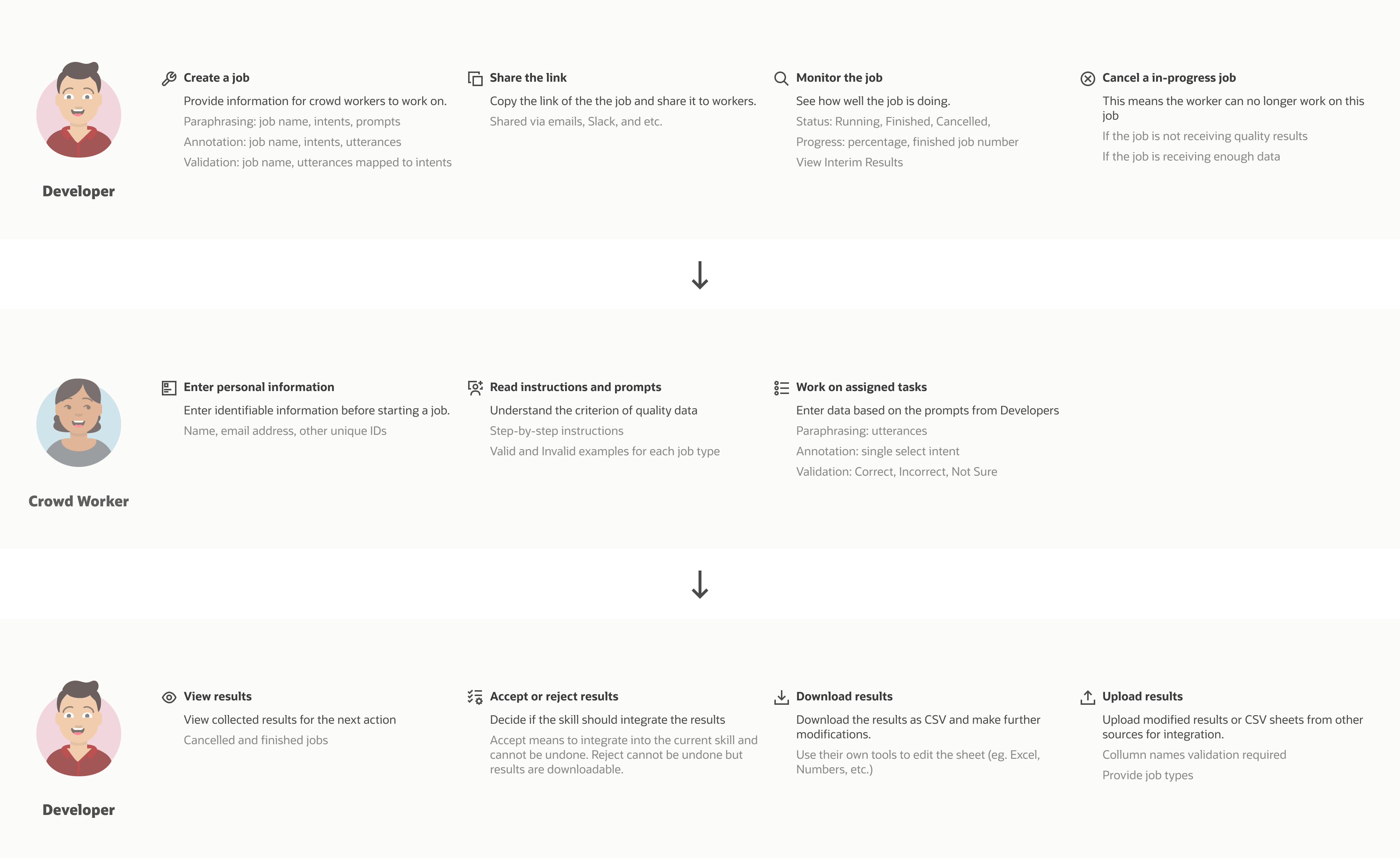
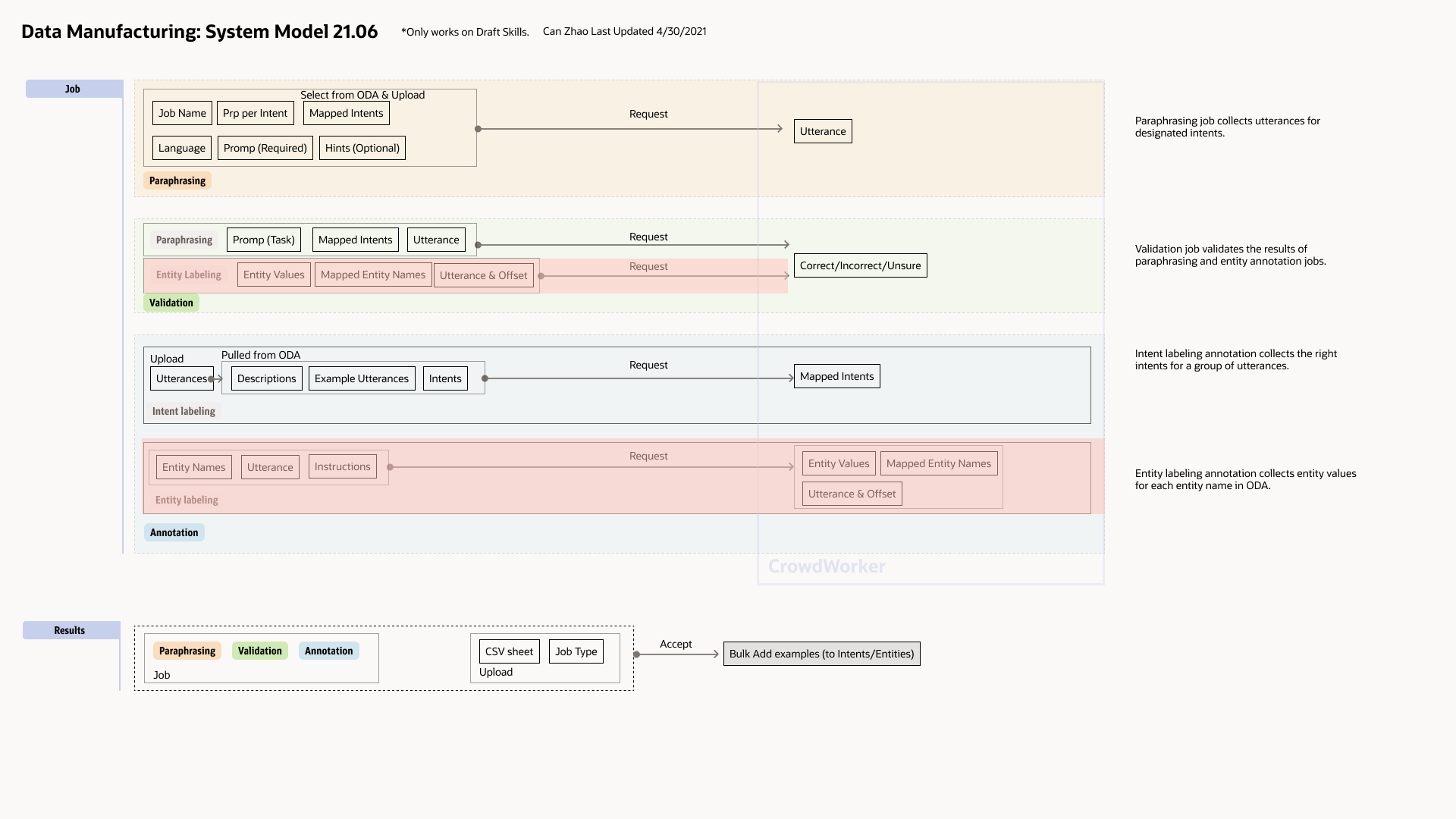
After multiple meetings with data scientists and internal users, I documented what we agreed on and made the following workflow accordingly.
WorkFlow DataManuf2
Together with PMs and data scientist, we created the basic IA of Data Manufacturing.

MVP Design

UI Exploration

Datamanuflowfi1
Datamanuflowfi2
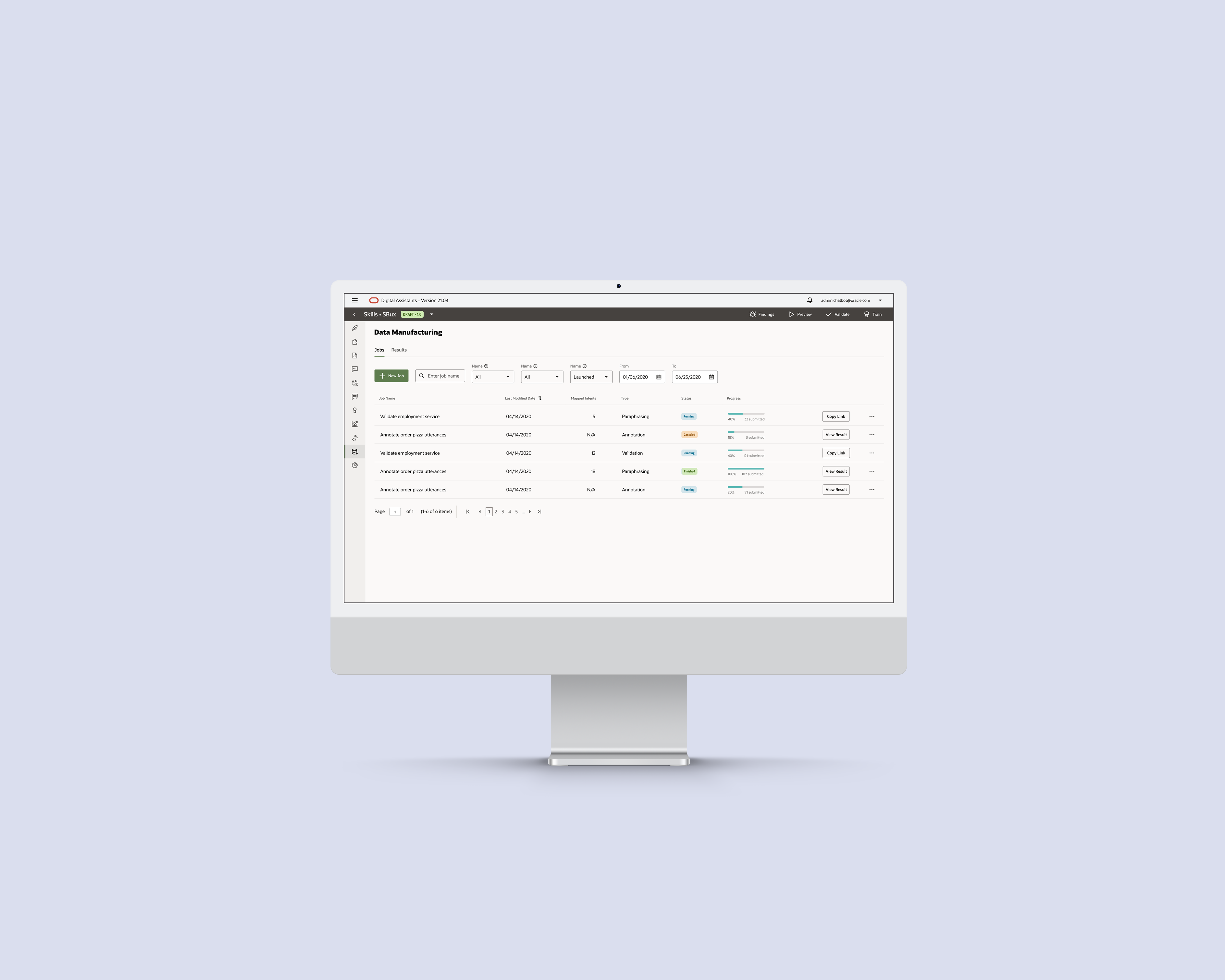
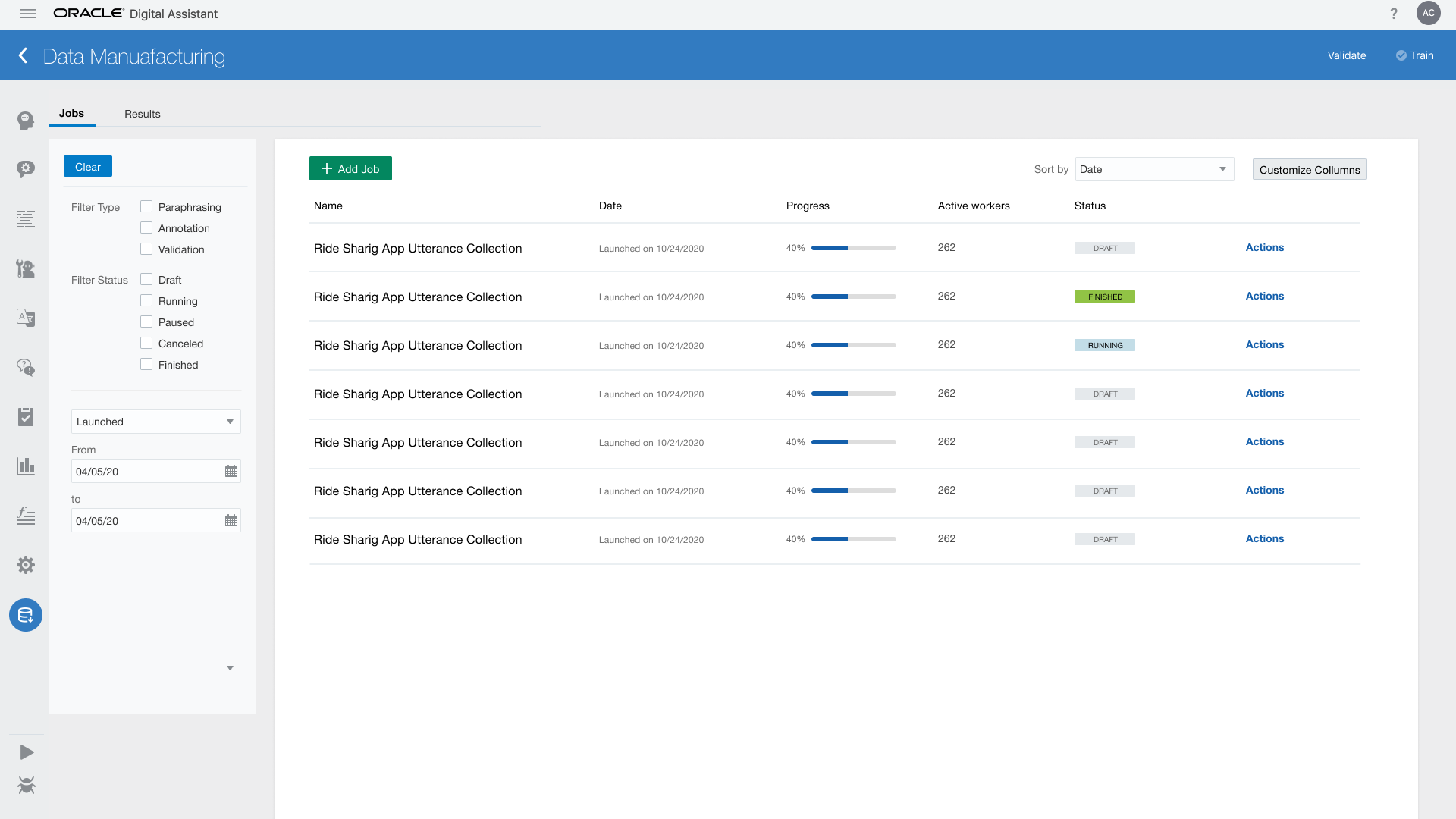
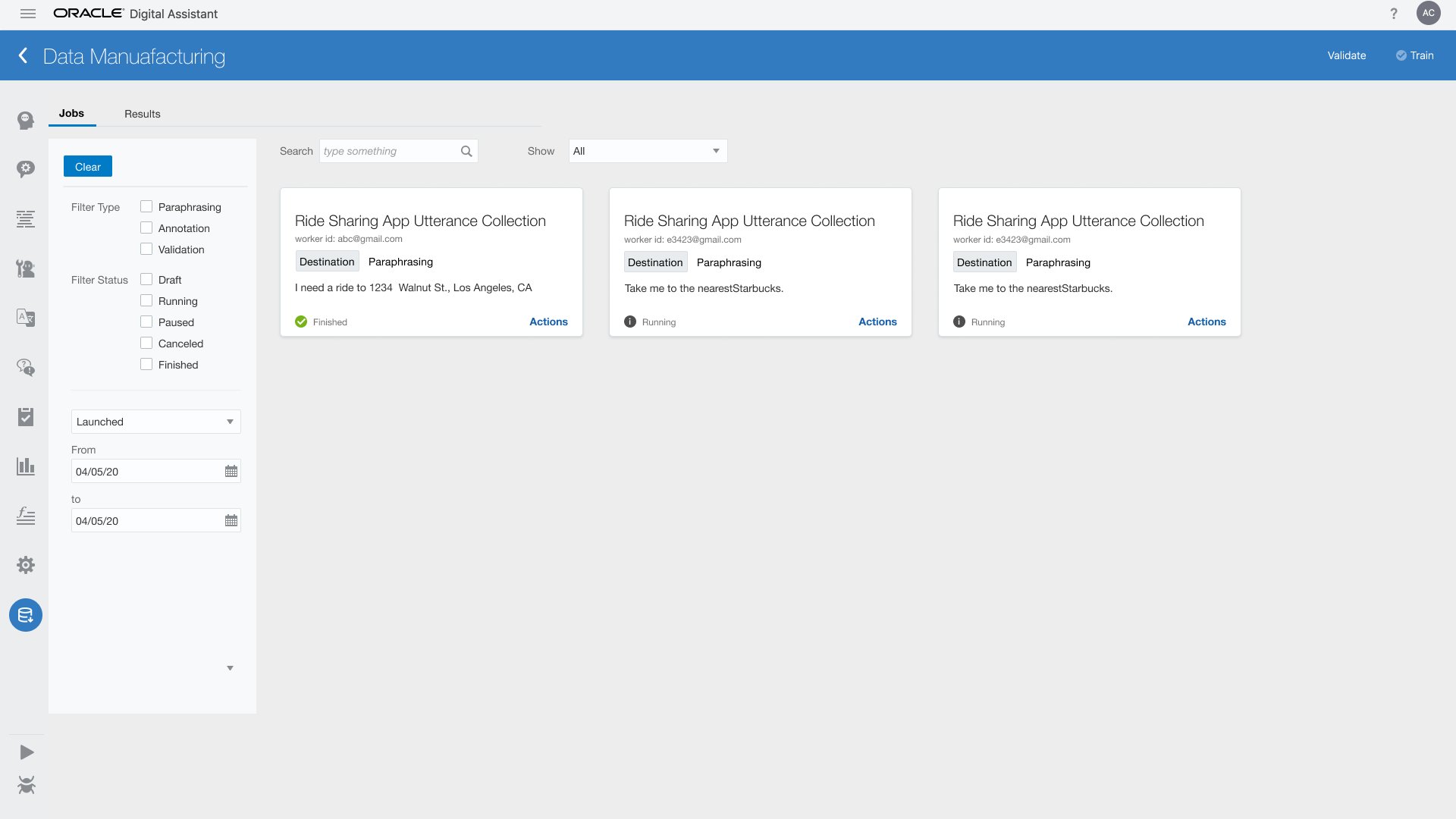
At this time, we are still using Oracle's old design system. I tried 2 layout based on the available frontend framework: table vs card to display the jobs. We all agreed that the table view works better since table view shows more information with less space.
After several rounds of review with PM and engineers, we refined the design for MVP Data Manufacturing, 2020 June release.
ODA User: Create, Share, and Monitor Jobs
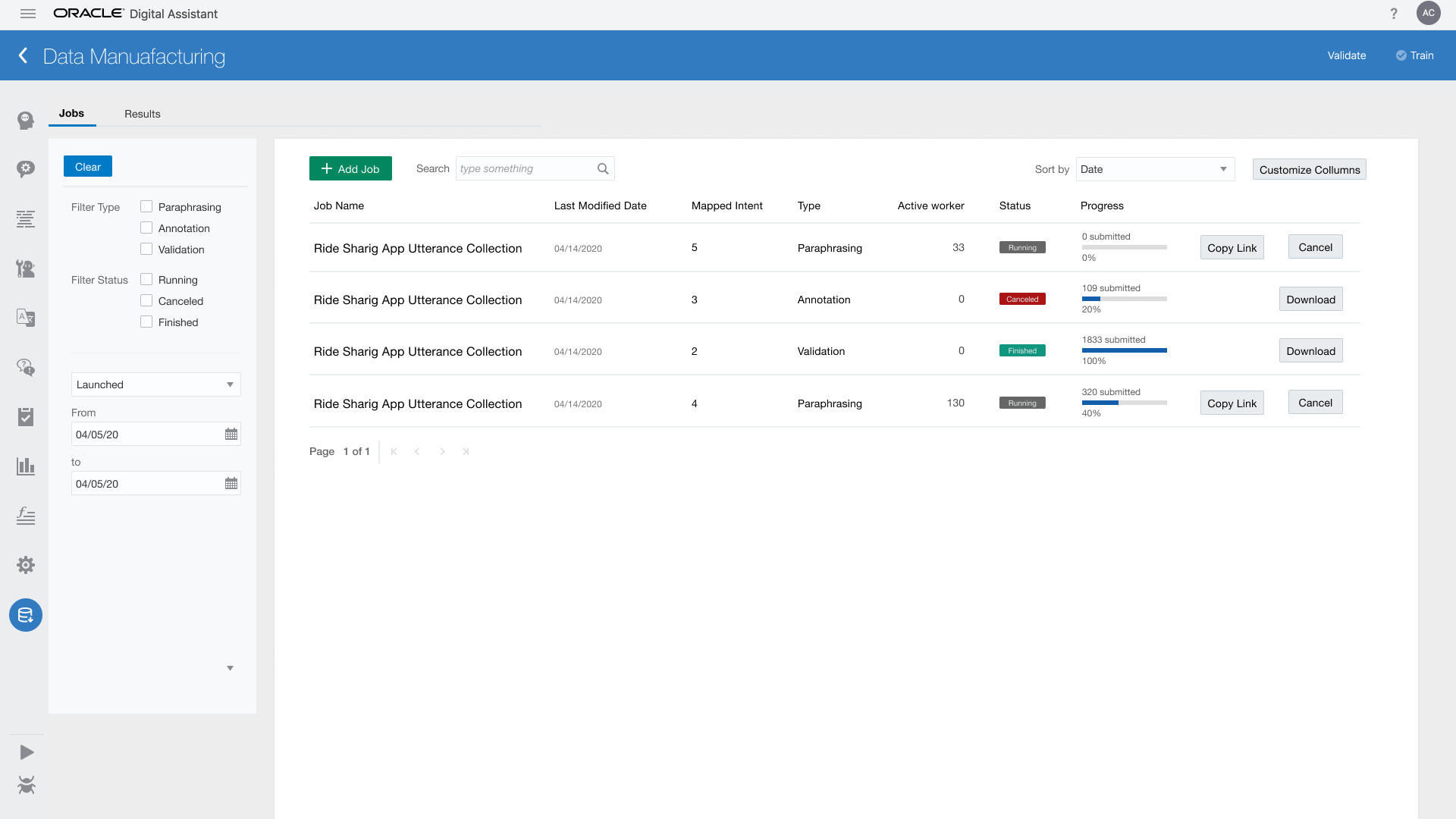
The user pulls the necessary information from Intents and Entities within ODA, and provide useful prompts for workers to submit quality data. After they got enough data, they could accept or reject the results.
vIEW fULL fLOW
Worker
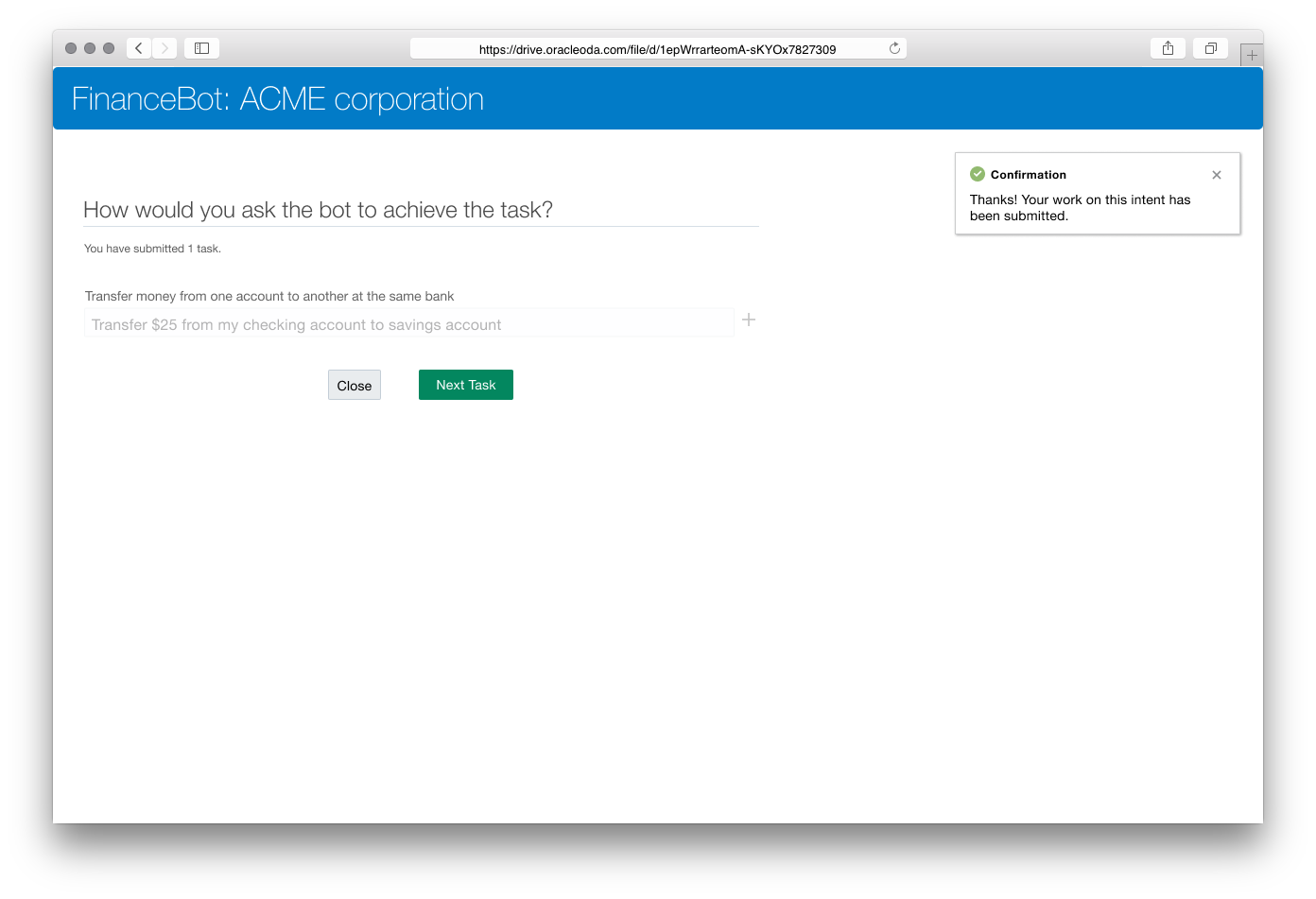
Crowd worker: Submit Training Data
The worker enter the job page with the link shared by ODA user. Here, they provide their contact information and submit training data
vIEW fULL fLOW
User

User Research

Planning
After MVP, I remade the screens with the new released design system. During this time, I wrote interview scripts, and moderated user sessions with the design in new design system. We were able to collect feedback from 2 external users and 1 internal user.
vIEW SCRIPTS
High-level Feedback
CrowdWorker

1

After submitting data, the workers wish to see the next task immediately instead of clicking "Next." This allows the worker to save more time when they need to provide data in quantities.

2

They would very much prefer keyboard shortcut to submit/skip the tasks. This would makes their work easier.

3

Currently the workers see repeated tasks, and they’re not sure if they have submitted or not for the same task.
The workers session needs to be remembered through unique ID, say email.
‍

Dev

1

The users were a bit confused when they were exposed to the job creation page.
All of the fields there need help information.

2

In paraphrasing jobs, the number for "paraphrase per intent" is default set to 5. The user would ignore this field and create a job without realizing the impact to the workers.
This field needs to be empty by default.

New Feature
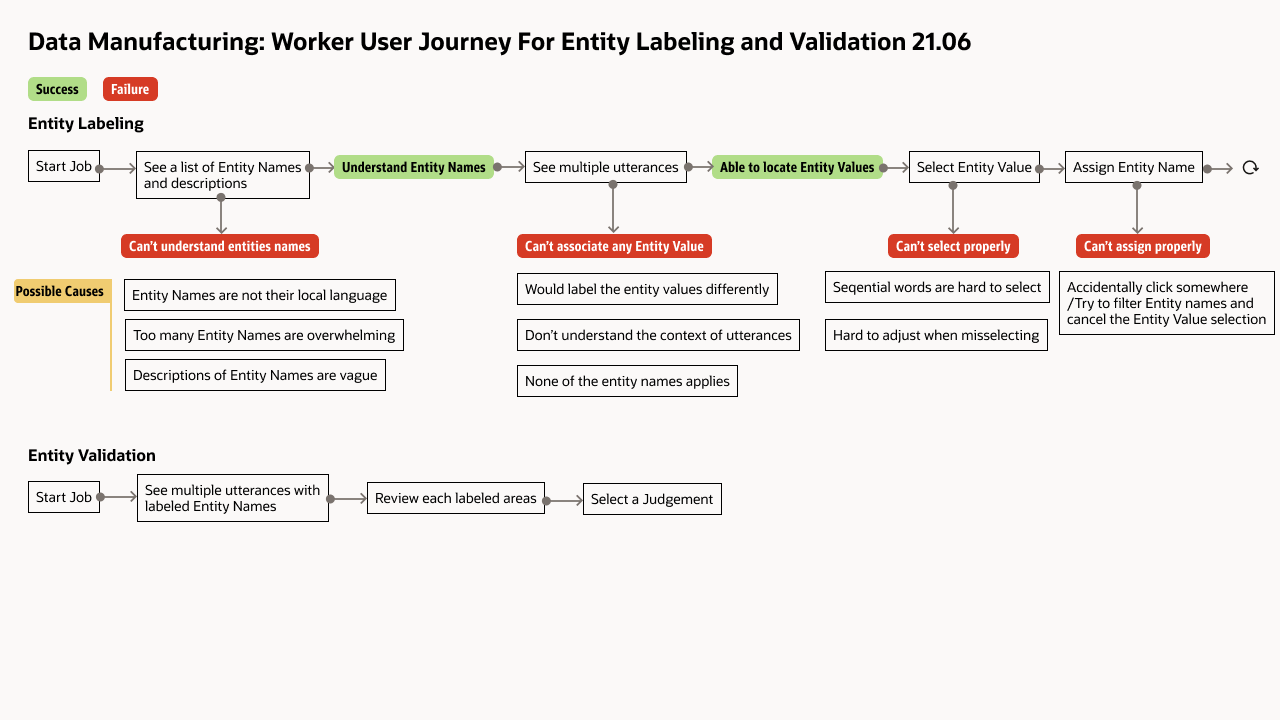
With several users' requests and feedback, I created the following user journey for the new feature: a new job type called 1
User Journey
Then I resketch the IA of Data Manufacturing with the new feature (highlighted in red block):
DatamanufDiagram

New UI Pattern

Entity Labeling
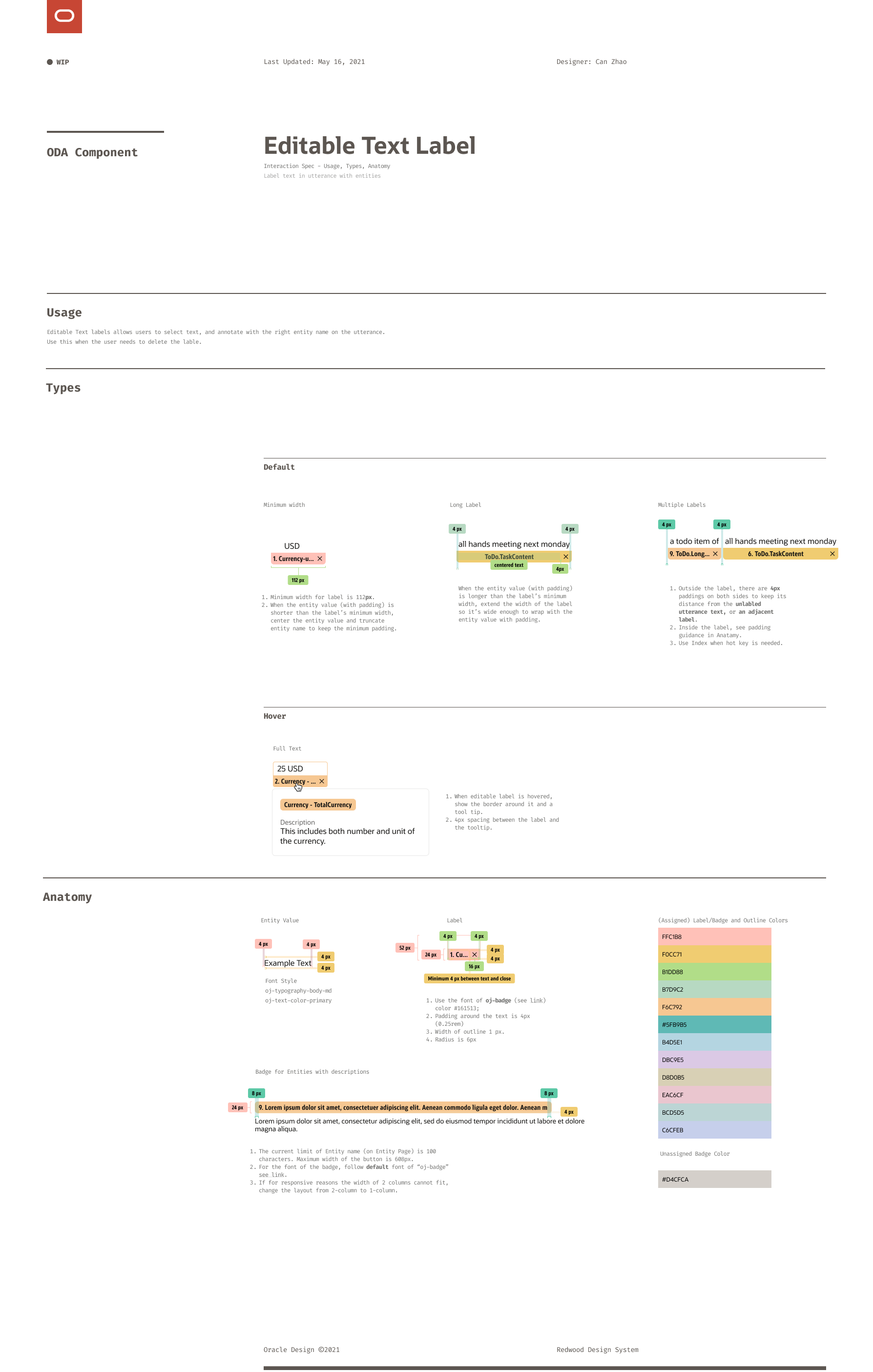
The new feature entity annotation needs a new UI pattern that allows the user to annotate entities on utterances. Currently, our design system doesn't have that pattern. I collaborated with the design system team and iterated on how the label should look and behave.
Final UI Spec
The new feature entity annotation needs a new UI pattern that allows the user to annotate entities on utterances. Currently, our design system doesn't have that pattern. I collaborated with the design system team and iterated on how the label should look and behave. I also did UI spec like this delivering the design to engineers.
Editable LabelSpec

Final Design 2021 August

I sampled the following end-to-end work flows to show a typical work cycle.
1. ODA user creates a job.
The user needs to provide enough guiding information for crowd workers to enter quality utterances. The job is generated with a sharable link.
2. Crowd worker enters utterances.
Crowd workers clicks the link provided by the ODA user and enters this page. They provide utterances based on the prompts and hints.
3. ODA user checks the results of the job.
When the job is done, the user can choose to accept or reject the results. The accepted results will be integrated into the Intent section of this Skill.
4. ODA user starts a job using the results from previous jobs.
In the scenario of annotating entities, ODA users need to provide utterances and entities for the workers to work on. They can use the results they collected from previous intent paraphrasing jobs.
5. Crowd workers annotates utterances.
In the entity annotation, the worker highlights a piece of text on the given utterance and select the entities that they think match the piece. If they're not sure or don't think any applies, they select accordingly. If some tasks are marked "Not Sure," like "Skip" in Paraphrase jobs, they will be sent back to the task pool for other workers to work on.

Reflections

This project has been fun. I learned the following:

  • I learned one essential skill from the collaborations with data scientists: I don't need to understand all the technical details, but just need to distill the data structure that my UI needs from their documents. I've learned to ignore some technical details that I don't need to understand and make the initial pass. Sometimes I'll revisit these technical details later as needed in my design reviews with the stakeholders.
  • Creating a new design pattern means that this component can scale across different teams while addressing our products' needs. I should know what could be compromised, and what could not, while I collaborate with the design system teams.
  • We need better onboarding experience explaining how each job works. That will be a product level experience that needs to guide users consistently in every section of ODA.

NEXT PROJECT

Visual Flow Designer